
Customizable Bid Increment
Define a minimum increment value to ensure every new bid is higher than the last.
Description
While creating an auction, you can choose between a fixed price or percentage-based bid increment. In both types, you can enter a dynamic value that determines how much higher each new bid must be compared to the previous one, ensuring fair and flexible bidding progression.
Video Tutorial
How it works
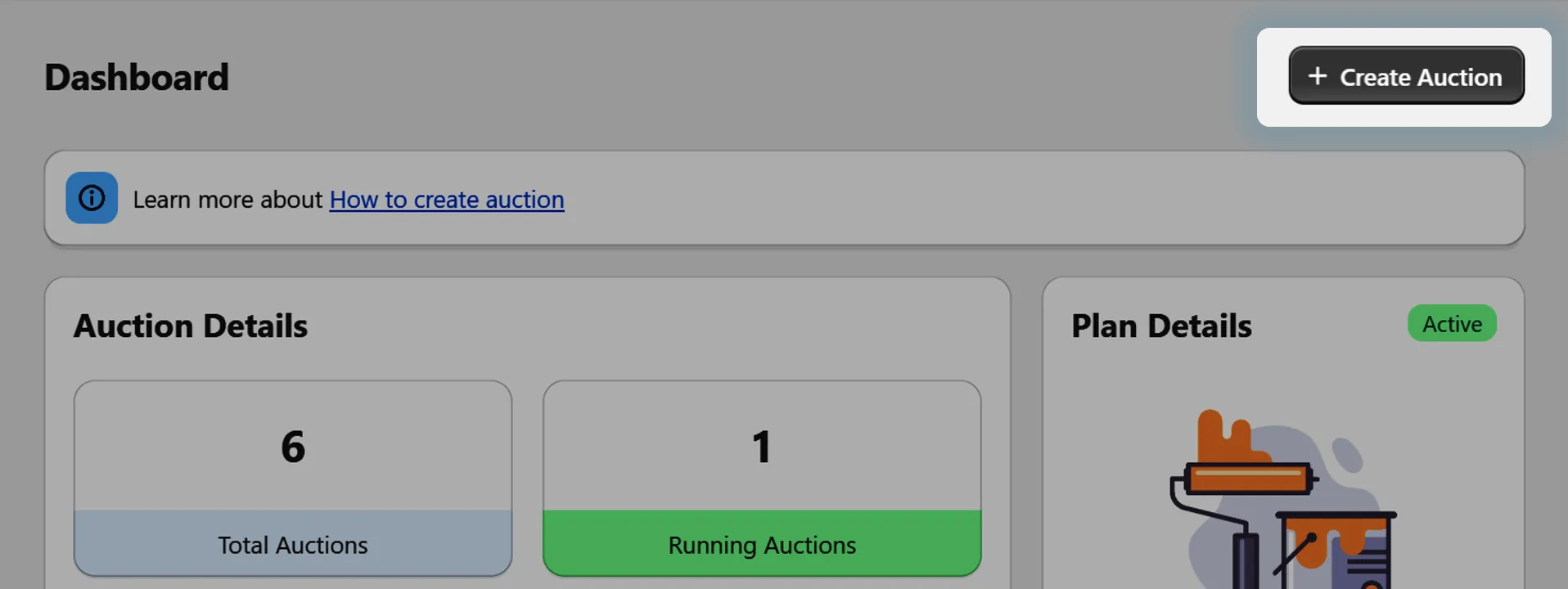
Step 1: Start Creating an Auction
Go to the auction creation section in your app dashboard.
Step 2: Locate the Bid Increment Input
While setting up the auction details, you'll find a section labeled "Bid Increment" or similar.
Here, you can now choose between Fixed Price and Percentage as your increment type.
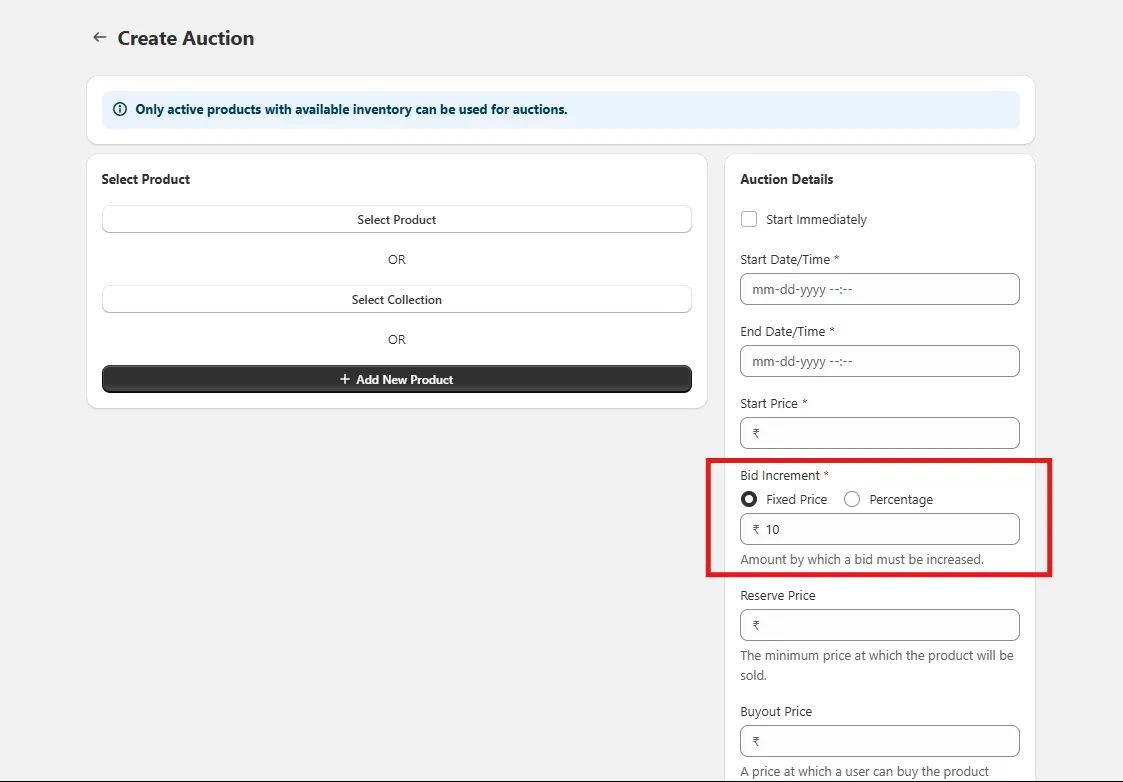
Step 3: Choose the Increment Type
Fixed Price – Set a specific amount that each new bid must exceed the current bid by (e.g., $5).
Percentage – Set a percentage by which each new bid must exceed the current highest bid (e.g., 10%).
Step 4: Enter the Increment Value
Depending on your selected type:
- If Fixed Price, enter the minimum fixed amount by which each new bid must exceed the current bid.
- If Percentage, enter the percentage value of current bid (1-100%) by which each new bid must exceed the current bid.
The system will automatically calculate the next minimum bid based on your chosen method.
Step 5: Save and Publish the Auction
Once you've selected increment type and entered the desired increment value along with other auction details, save and publish your auction.
Step 6: Bidding Follows Your Chosen Rule
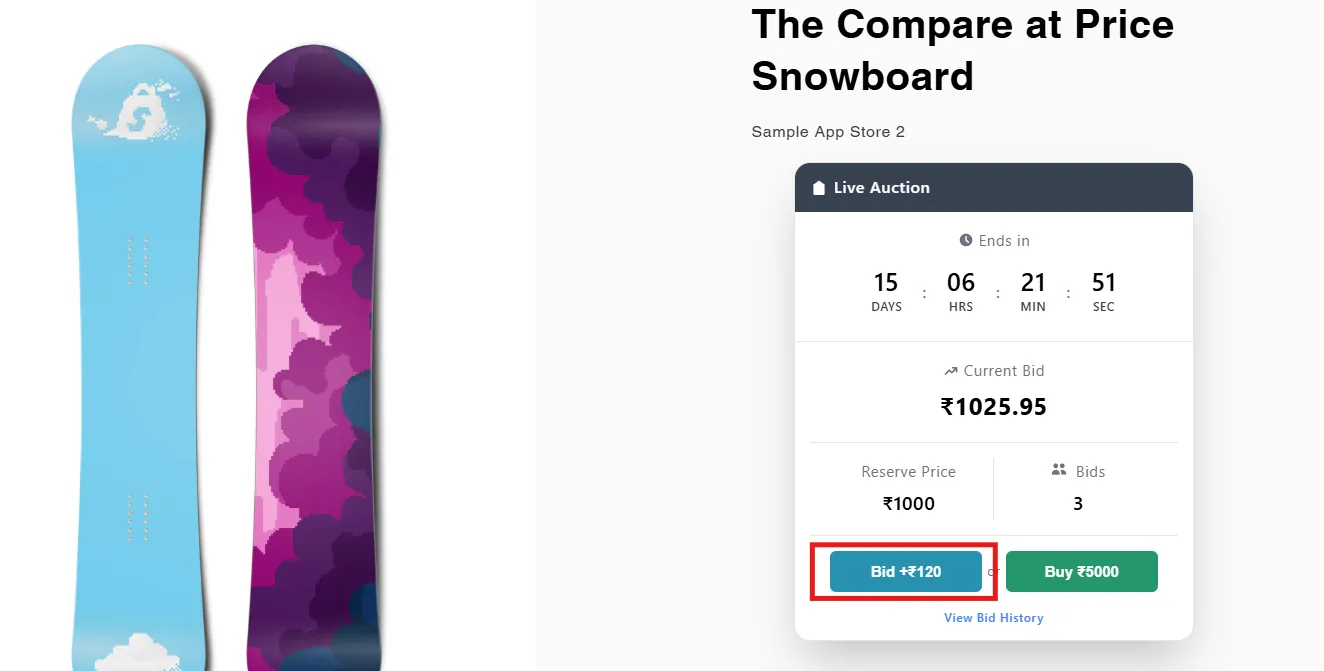
When users place bids, the system automatically calculates the next minimum bid based on the selected method and entered value, ensuring fair and consistent bidding progression.
For Fixed Price, each new bid will be a fixed amount higher than the current bid.
For Percentage, each new bid will be higher by the set percentage of the current bid.