
Waterfall Winner
Automatically select the next highest bidder as the winner if the top bidder fails to complete the purchase.
Description
The Waterfall Winner feature ensures that if the highest bidder does not complete the purchase, the system automatically selects the next highest bidder as the winner. This helps maintain auction integrity and ensures successful sales.
Video Tutorial
How it works
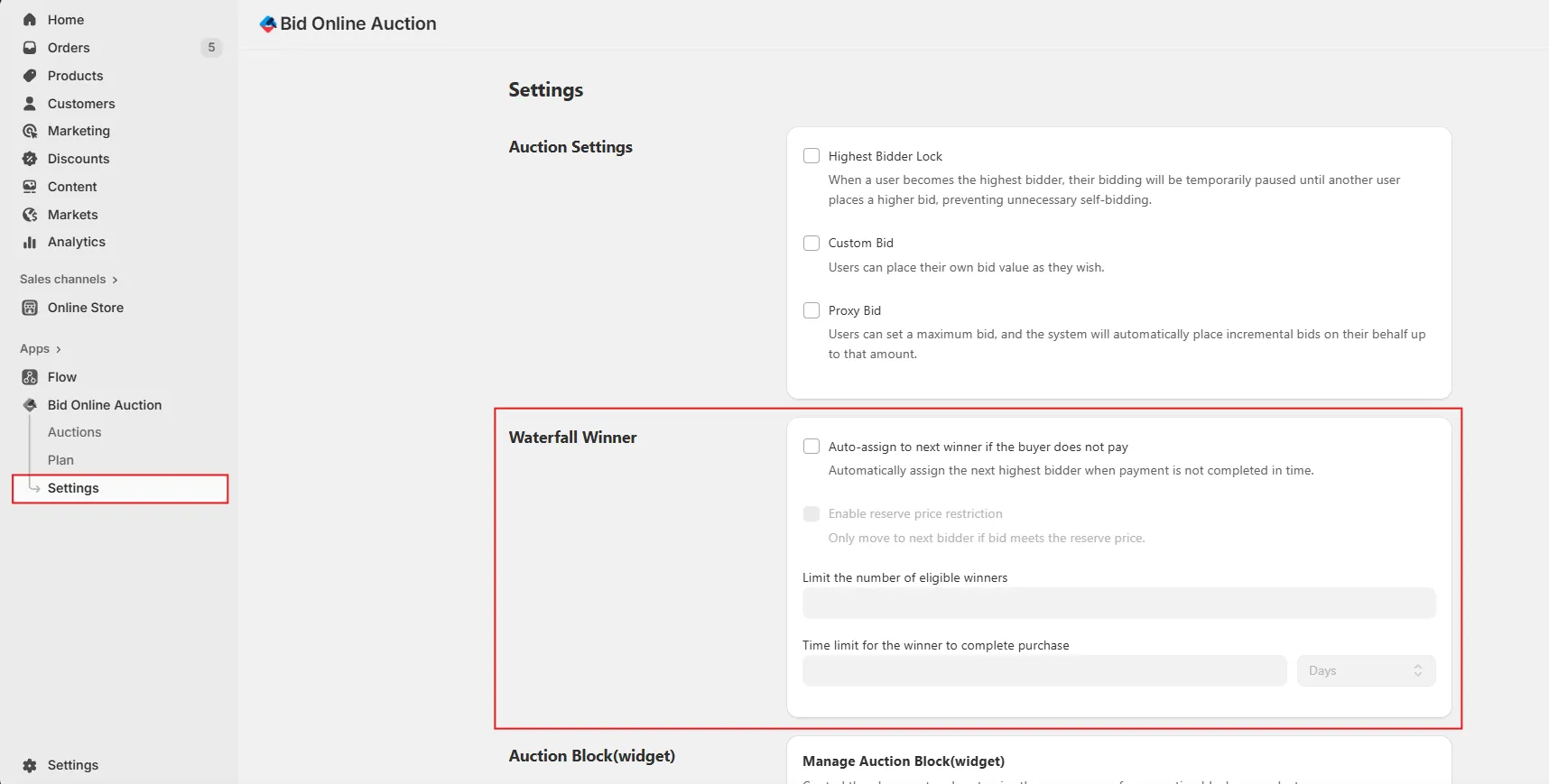
Step 1: Go to Settings
Navigate to the Settings section in your app dashboard and locate the Waterfall Winner configuration area.
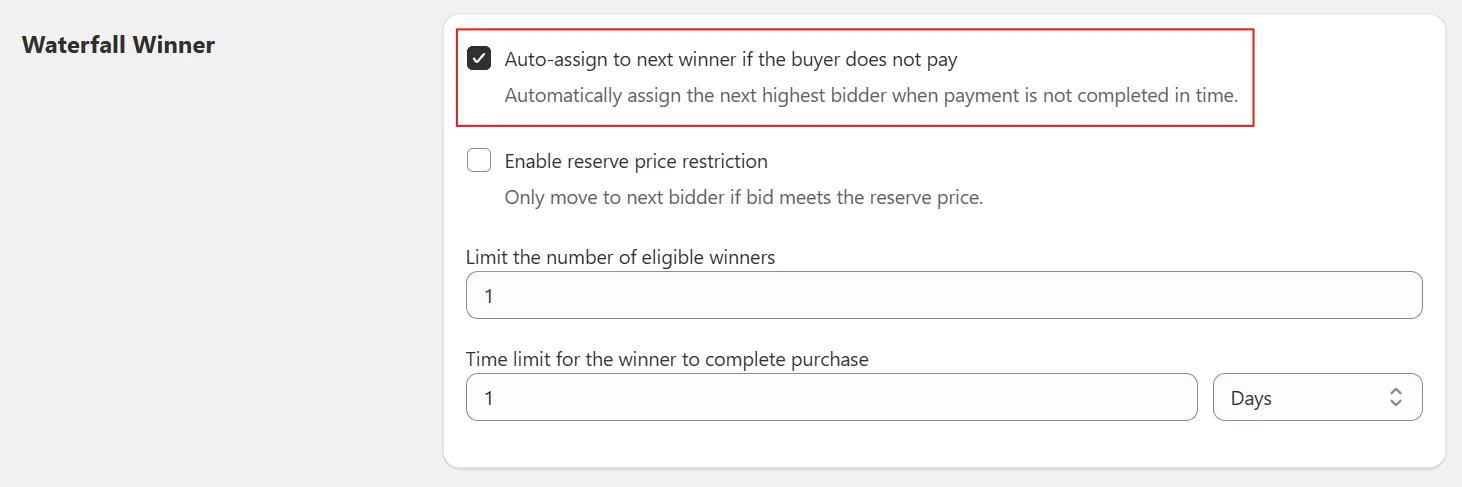
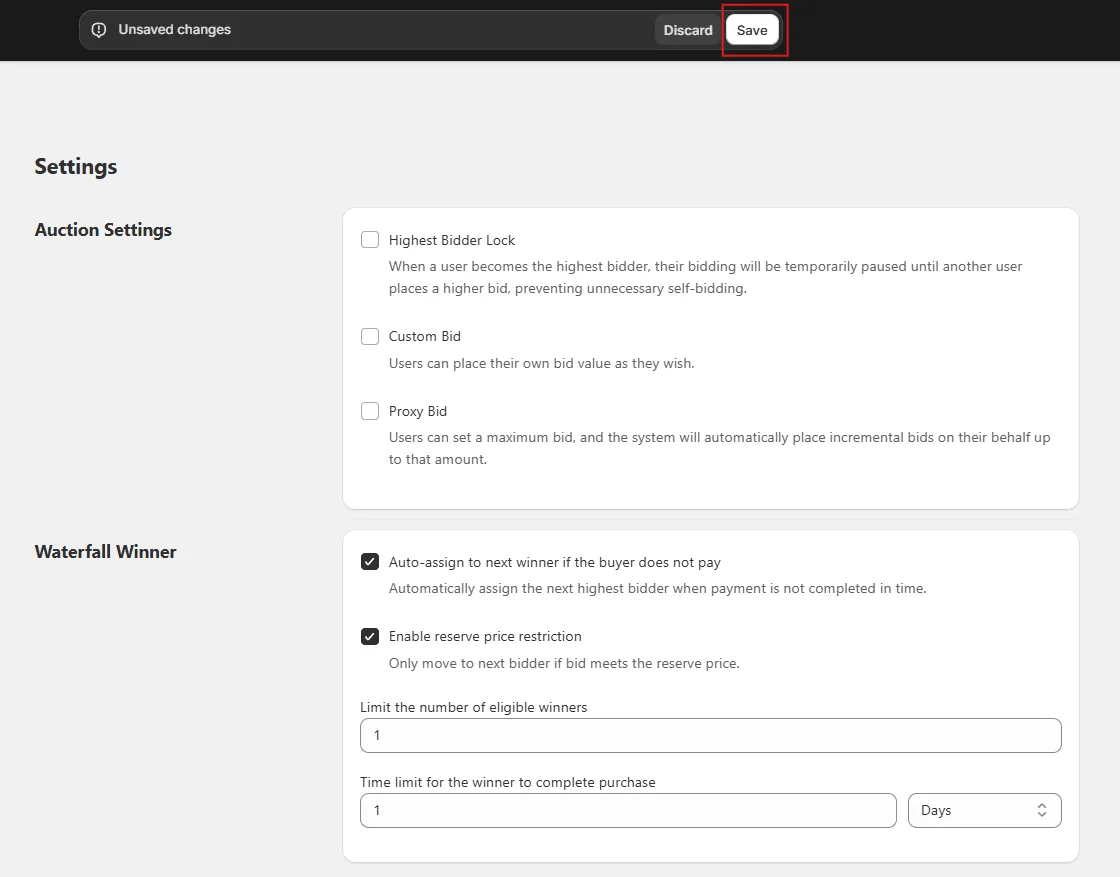
Step 2: Enable Auto-Assign to Next Winner
Check the option “Auto-assign to next winner if he/she does not pay”. This enables the system to automatically assign the next highest bidder as the winner if the current winner fails to complete the purchase.
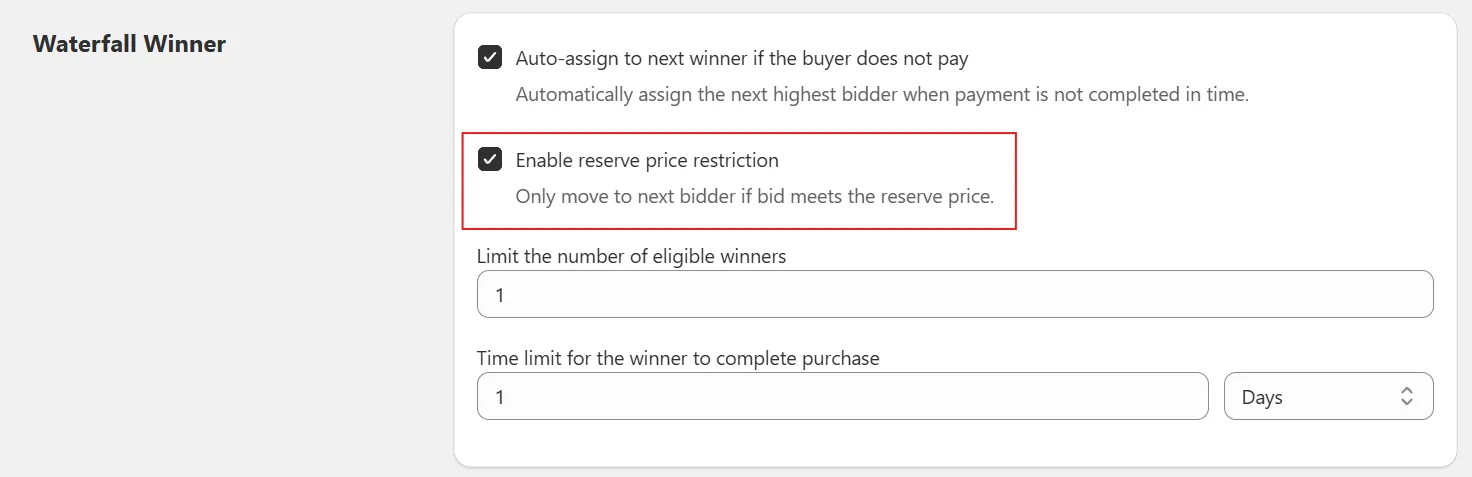
Step 3: Enable Reserve Price Restriction (Optional)
Enable “Reserve price restriction” if you want the system to move to the next bidder only if their bid meets the reserve price.
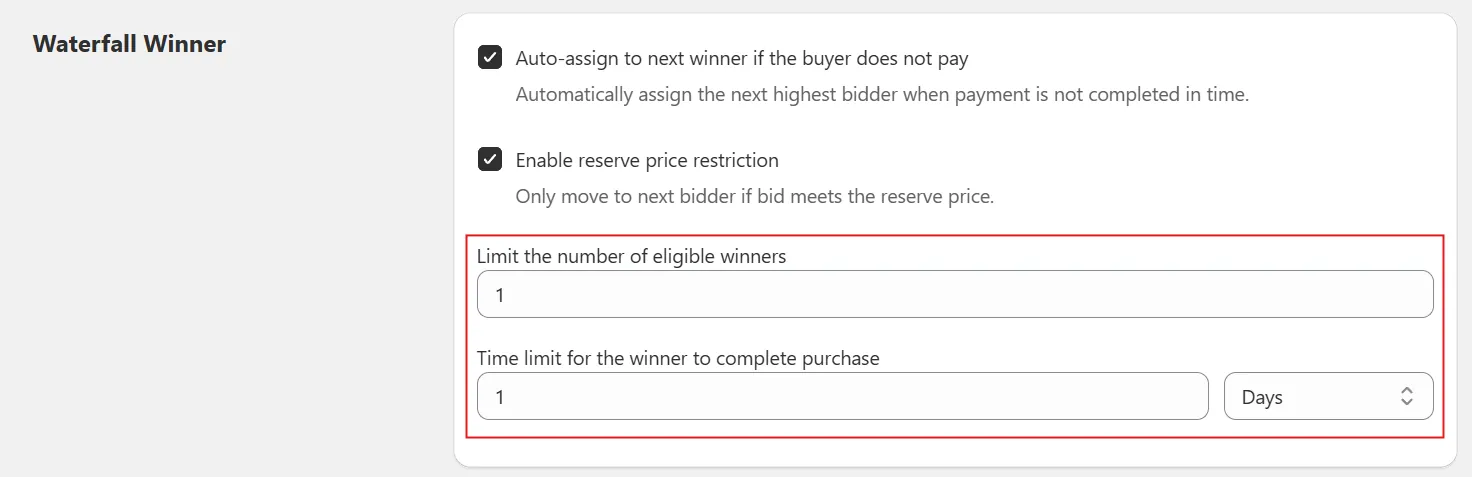
Step 4: Configure Limits
Add the following configuration values:
- Limit the number of winners → Defines how many times the system can move to the next eligible bidder.
- Time limit for the winner to process payment → The allotted time before the winner is replaced by the next bidder automatically.
Step 5: Save Settings
After completing the configuration, click Save Settings to activate Waterfall Winner rules.
Step 6: Automatic Winner Assignment
Once the auction is completed:
- If the winner does not purchase the item within the given time, the next highest bidder will automatically become the new winner.
- This process will repeat until the Limit the number of winners is reached.