
Penny Auction
Enable penny-based bidding where users purchase pennies and spend one per bid in special auctions.
Description
Penny Auction allows merchants to create special auctions where customers must first purchase penny products (bid packs) before participating. Each bid costs one penny, and purchased pennies can be used across all active penny auctions, creating an engaging and competitive bidding experience.
Video Tutorial
How it works
Step 1: Create a Penny Product
First, create a penny product the same way you create a normal product in Shopify.
Go to Products → Add Product.
Enter the product name and price.
Set Inventory to Not tracked.
Set Shipping to Not a physical product (disable shipping).
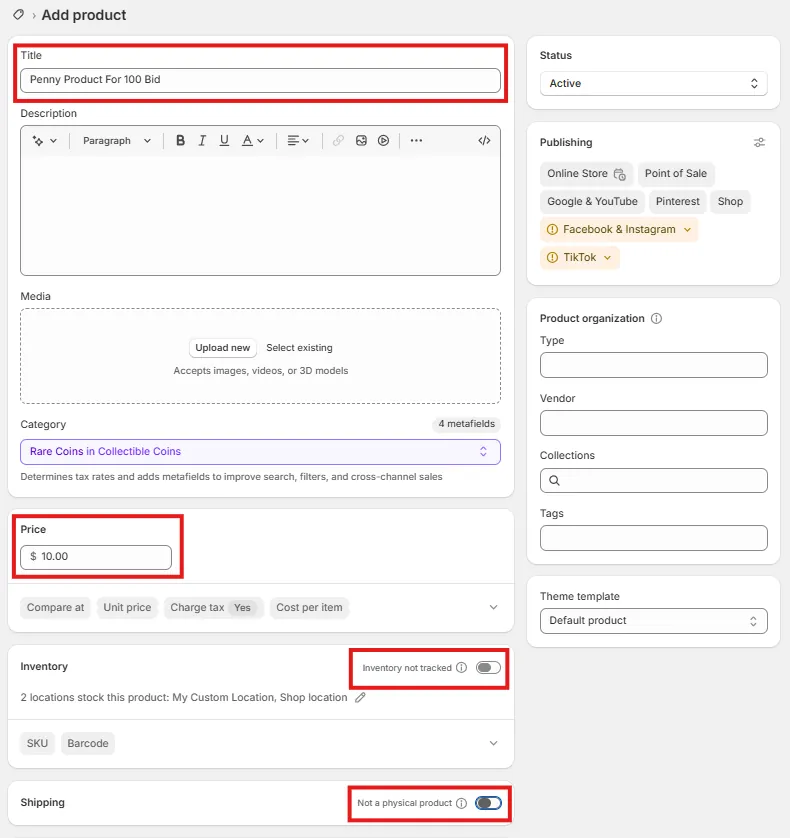
Next, open the Bid Online Auction App and go to Penny Products.
Click on the Create Penny Product button.
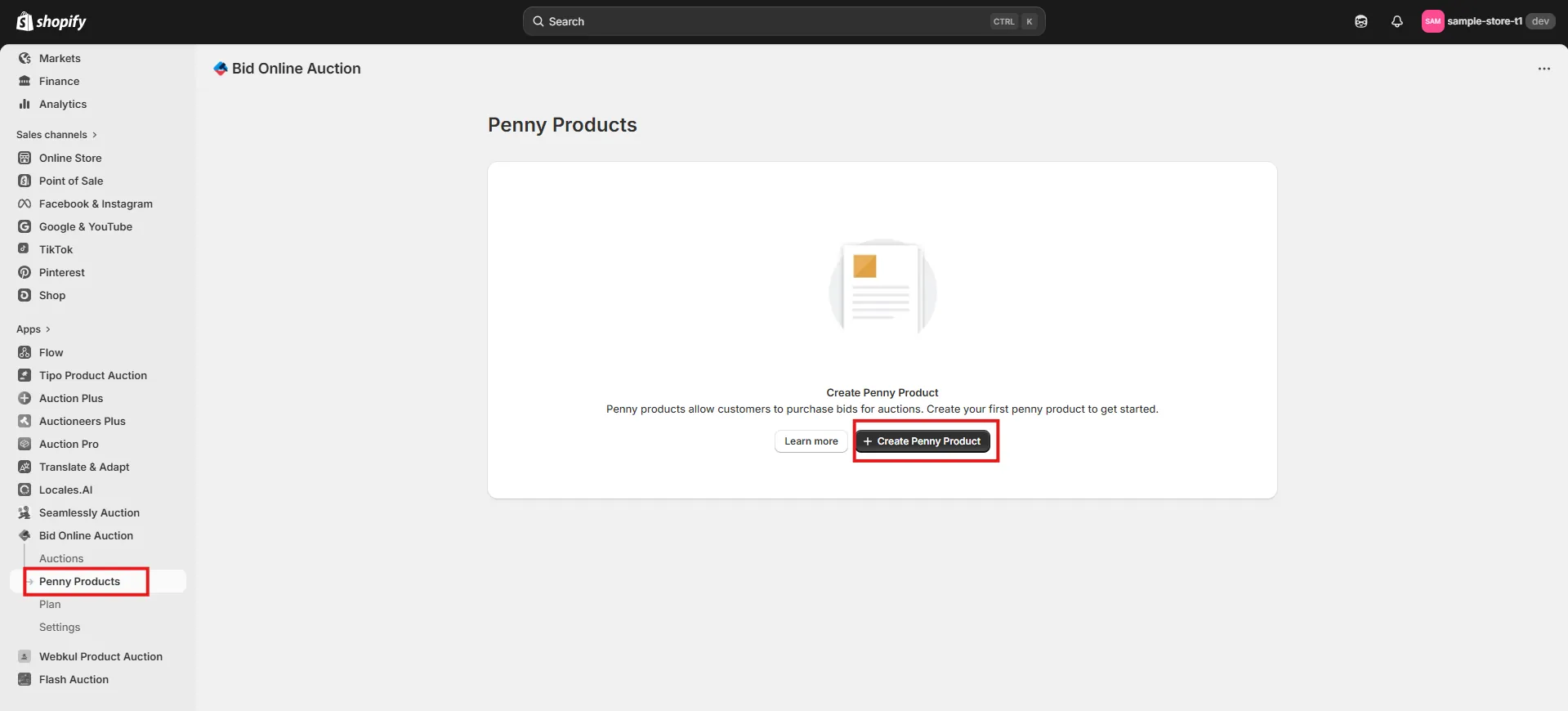
Enter:
- Product Name (this will be shown to customers)
- Number of Bids Allowed
Select the Shopify Product you created Click Save.
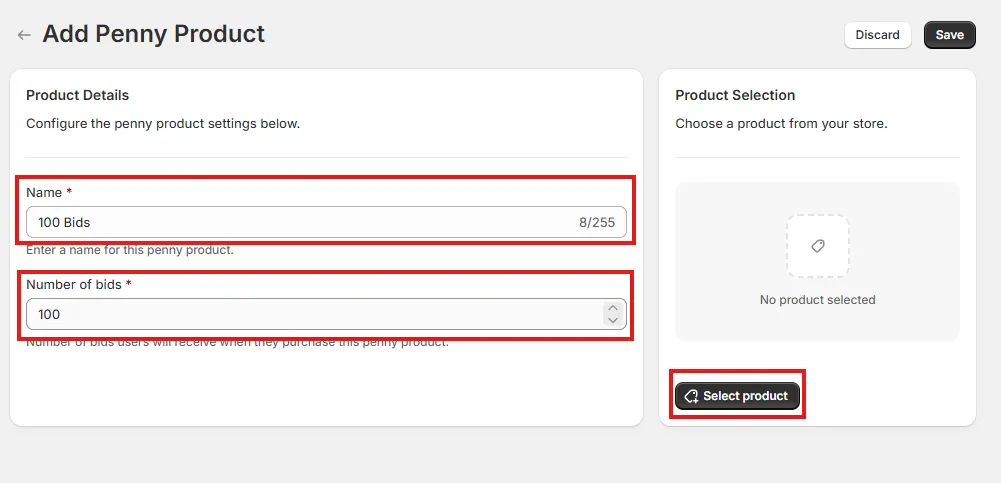
You can create multiple penny products.
For example:
Price: $10 → Bids Allowed: 100
Price: $15 → Bids Allowed: 200
Step 2: Create a Penny Auction
Go to Auctions in the app.
Click Create Auction.
Fill in all auction details (title, start time, end time, price, etc.).
Enable the Penny Auction option.
Save the auction.
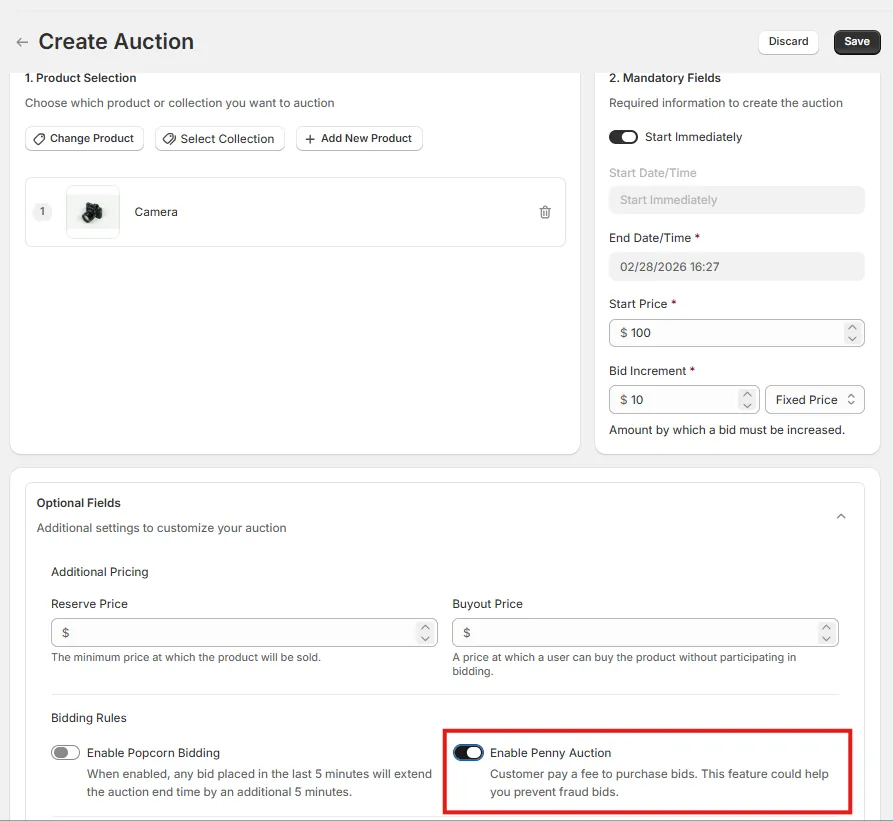
Step 3: How Users Place a Bid in a Penny Auction
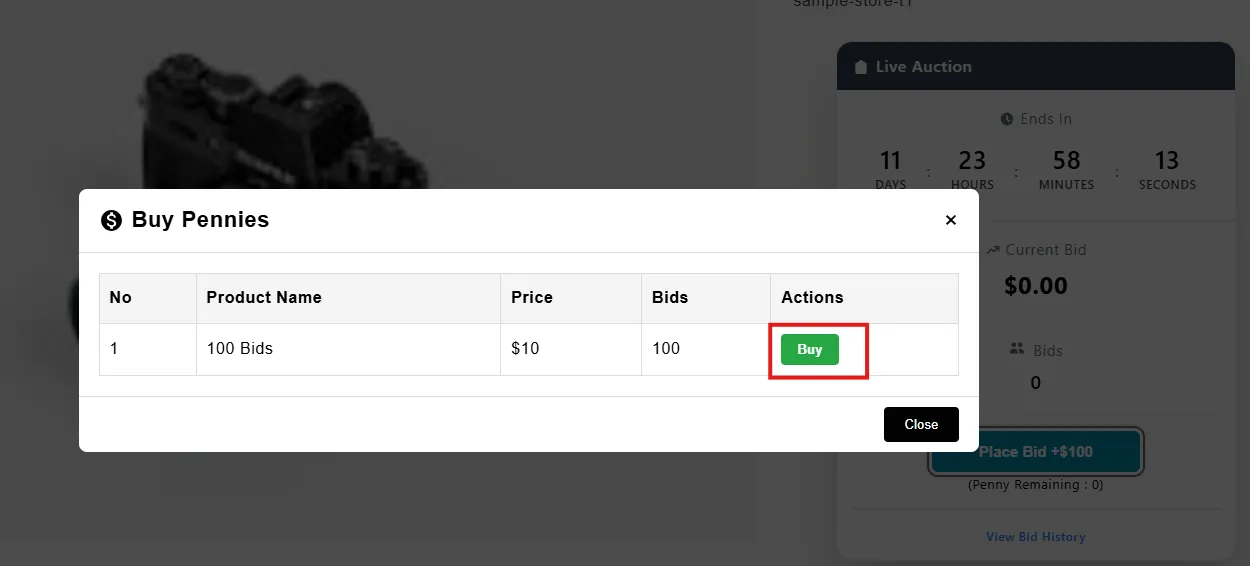
When a user clicks Place Bid for the first time, a popup will appear.
The popup shows:
Penny product name,
Number of bids available,
Buy button.
After purchasing the penny product, the user will see their available pennies on the Penny Auction page.
When a user buys pennies, those pennies are available across all penny auctions. The same penny balance can be used in multiple penny auctions. Pennies are not limited to a single product or a single auction.
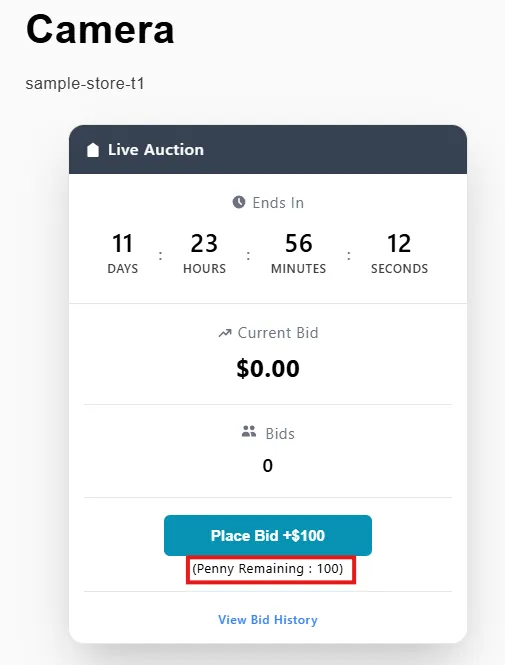
Every time the user places a bid, 1 penny is deducted from their balance.