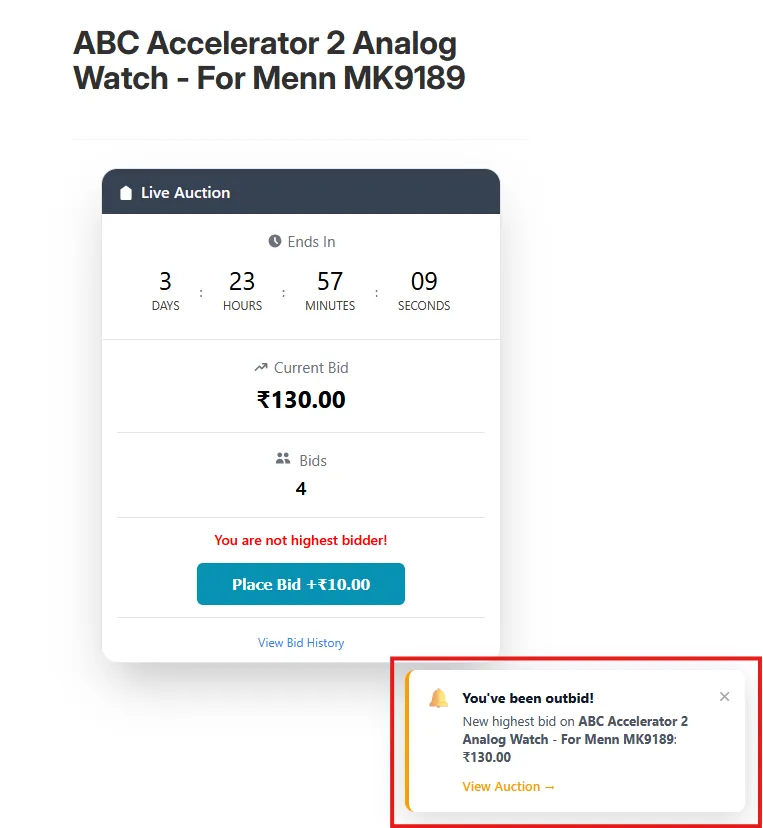
Outbid Notification
Instantly alert users on the storefront when they have been outbid, keeping them engaged and ready to place another bid.
Description
The Outbid Notification feature delivers a real-time alert directly on the storefront whenever a user who has placed a bid is outbid by another bidder. The notification includes a "View Auction" link so the user can navigate instantly to the auction page and place a new bid, maximising engagement and improving conversion during live auctions.
Video Tutorial
How it works
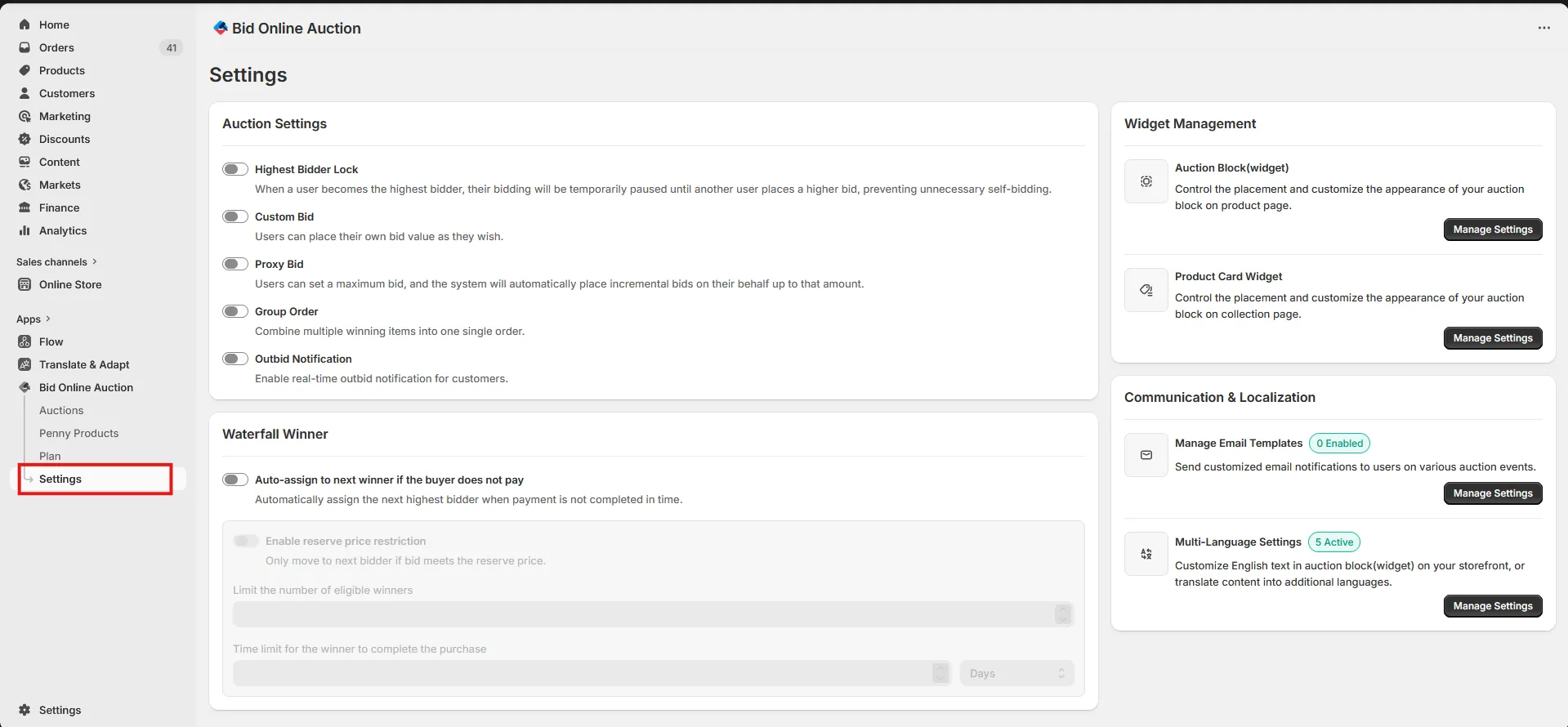
Step 1: Access the Settings Page
Go to the Settings page in your installed app to access various configuration options.
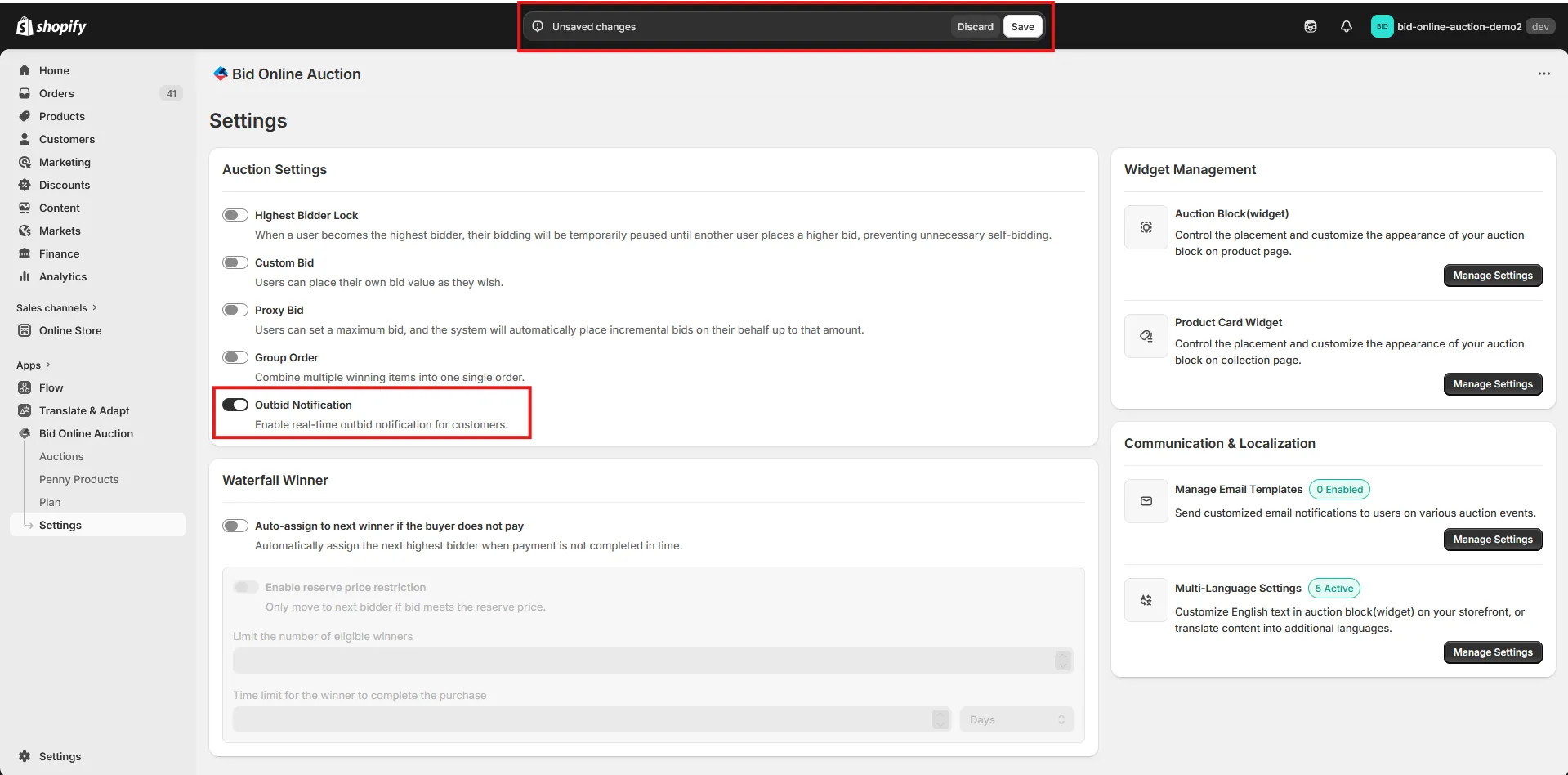
Step 2: Enable Outbid Notification
Check the Outbid Notification option. When enabled, users will receive a real-time notification on the storefront if they are outbid after placing a bid in an auction. After enabling this feature, click Save Settings to update your auction settings.
Step 3: How Users See the Outbid Notification
Once the Outbid Notification feature is enabled, users will receive a notification if they place a bid on any auction and are later outbid by another bidder. Users can click on "View Auction" from the notification to directly navigate to the respective auction page.