
Bid History Display
View a complete log of bid history including bidder names, time, and amounts.
Description
The complete bid history—including bidder names, bid times, and amounts—is accessible from a dedicated bid history page for any auction that is running or completed with at least one bid. Additionally, users on the storefront can view a bid history popup on the product detail page for auctions that are active or completed with bids.
Video Tutorial
How it works
Step 1: Open a Running or Completed Auction
From the app auction page, select any auction that is active or completed and has received at least one bid.
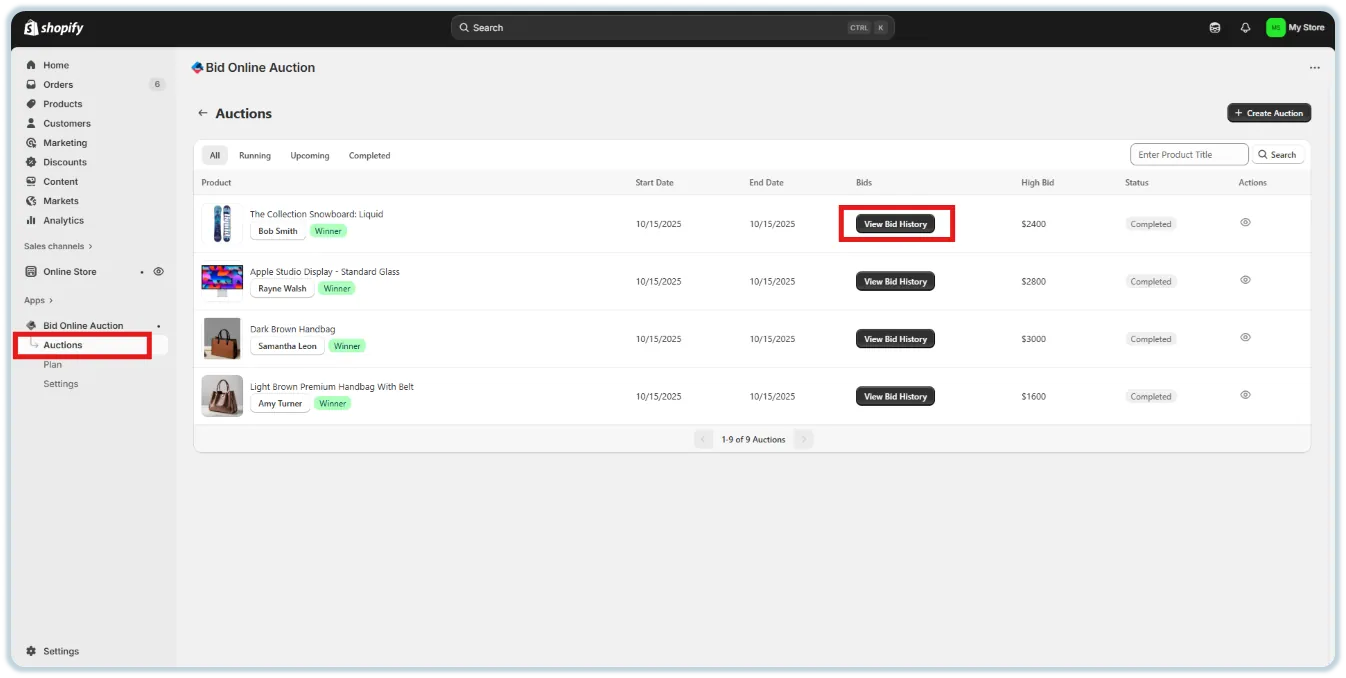
Step 2: View the Bid History Page
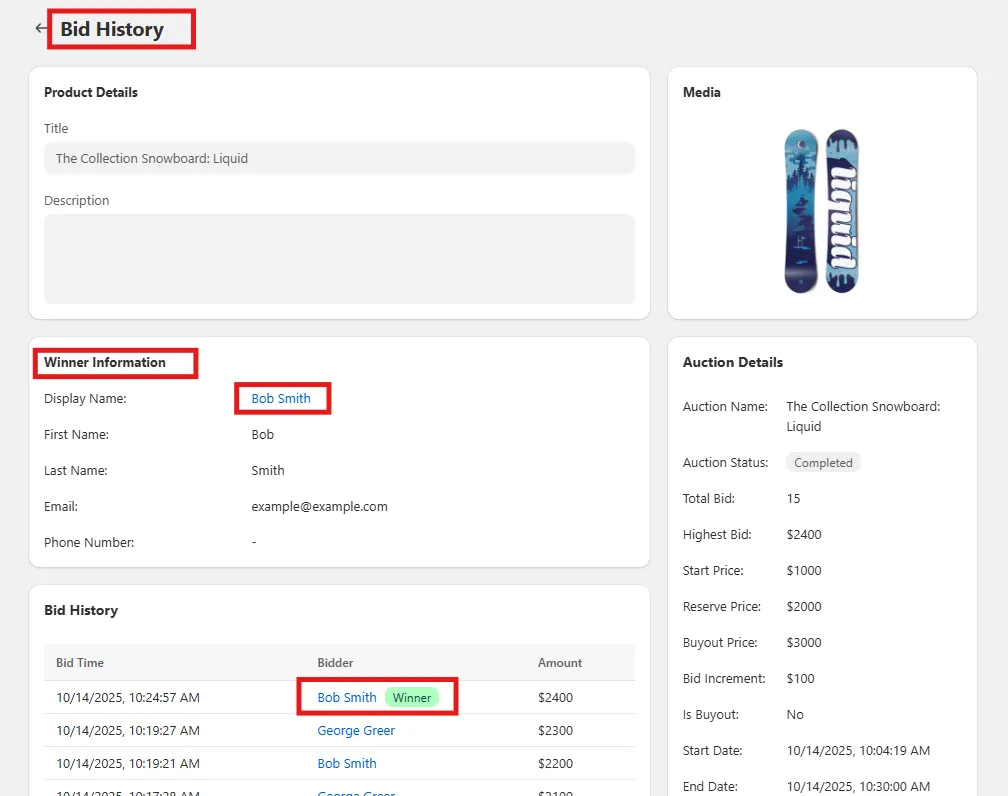
Click into the "View Bid History" button to access the Bid History page, where you'll find:
- 🧑 Bidder Names
- ⏱️ Bid Times
- 💰 Bid Amounts
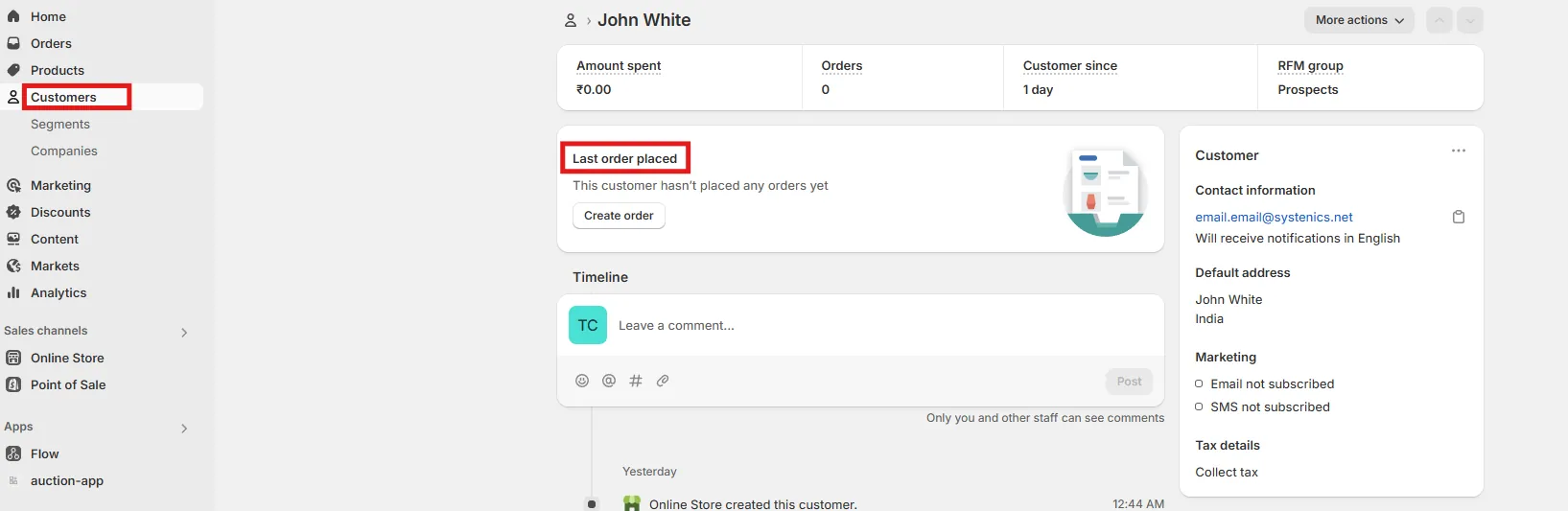
- The admin can click the bidder's name to be redirected to the customer page with all relevant information.
Step 3: Storefront Access for Users
On the storefront product detail page, customers can click on a "View Bid History" link.
- A popup appears showing all bids.
- This is available for both active and completed auctions (with bids).
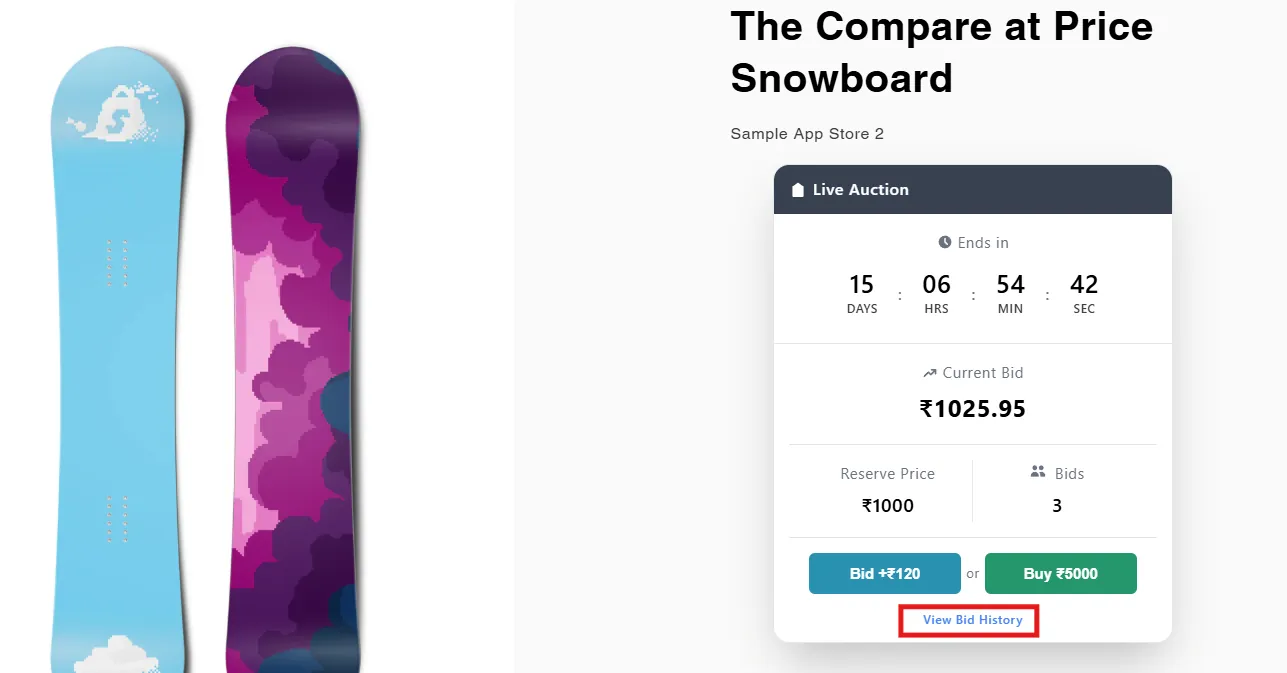
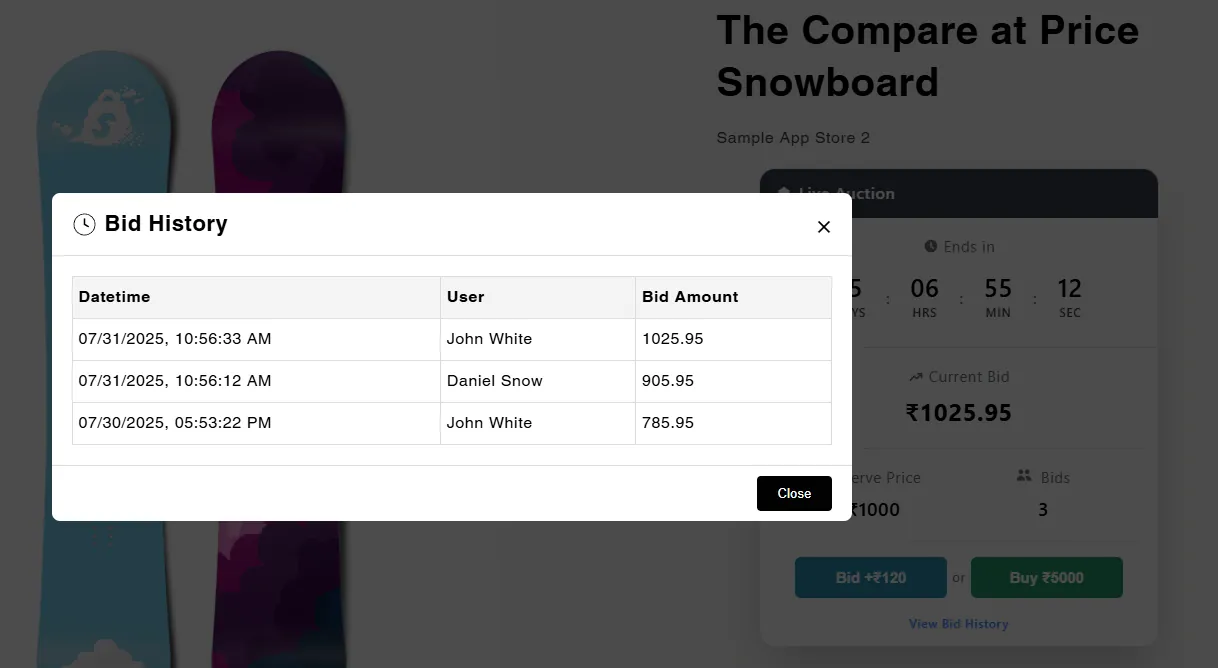
🔒 Note: Only auctions that have received at least one bid will display bid history to ensure relevance.
Step 4: Maintain Transparency
The bid log helps build buyer trust and encourages healthy bidding by showing real-time activity and competition.
🛠️ Ideal for both sellers and buyers who want full visibility into auction dynamics.