Require Full Name for Bidding
Restrict users from bidding until they've added their first and last name to their profile.
Description
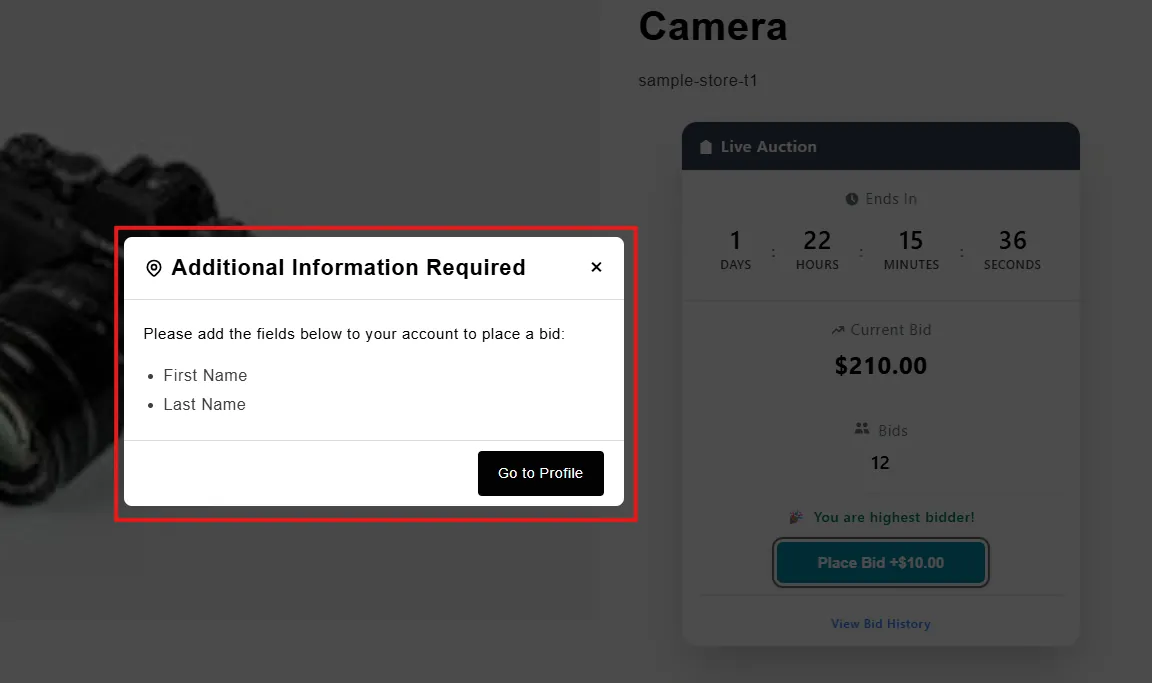
When the Require Full Name for Bidding setting is enabled, any user who has not provided their first and last name will be blocked from placing a bid. A popup will appear informing them to update their profile with the required information, and once completed, they will be able to bid successfully.
Video Tutorial
How it works
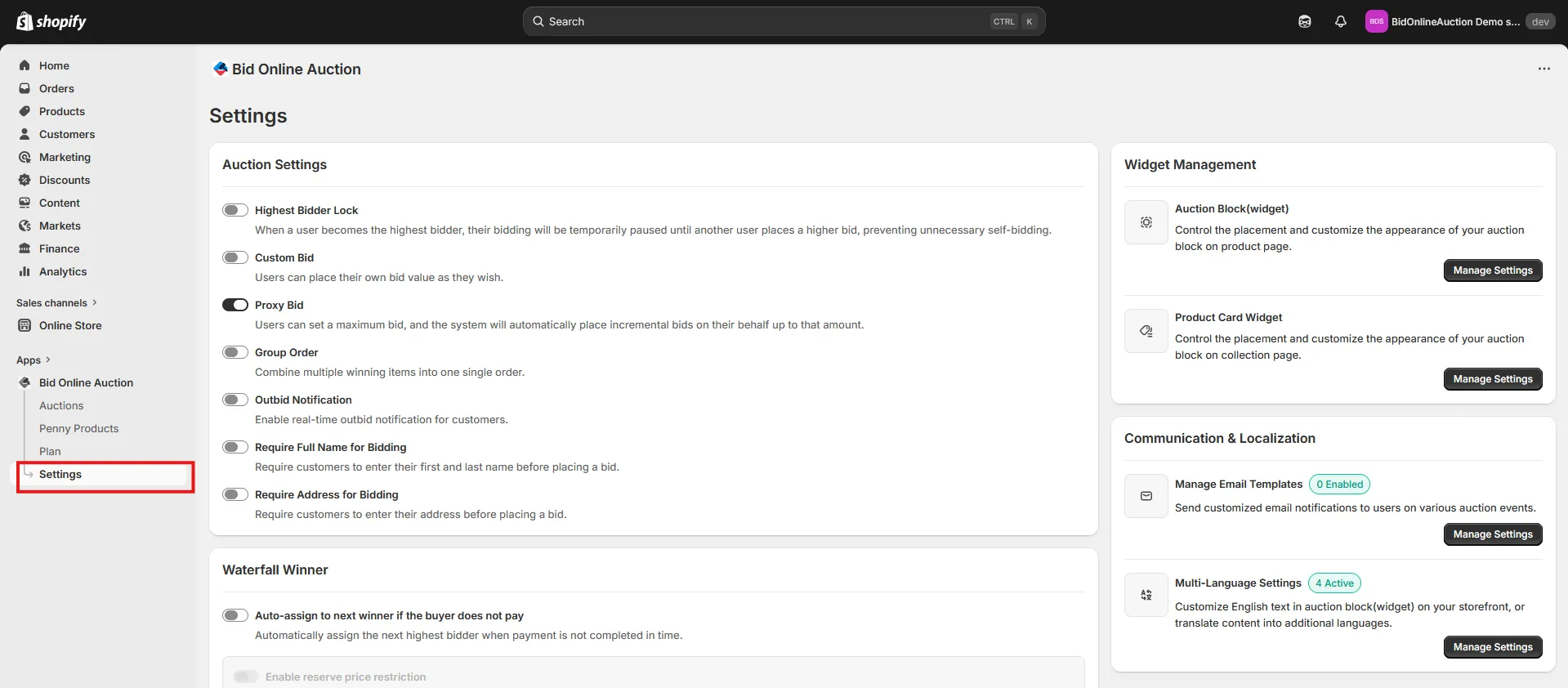
Step 1: Access the Settings Page
Go to the Settings page in your installed app to access various configuration options.
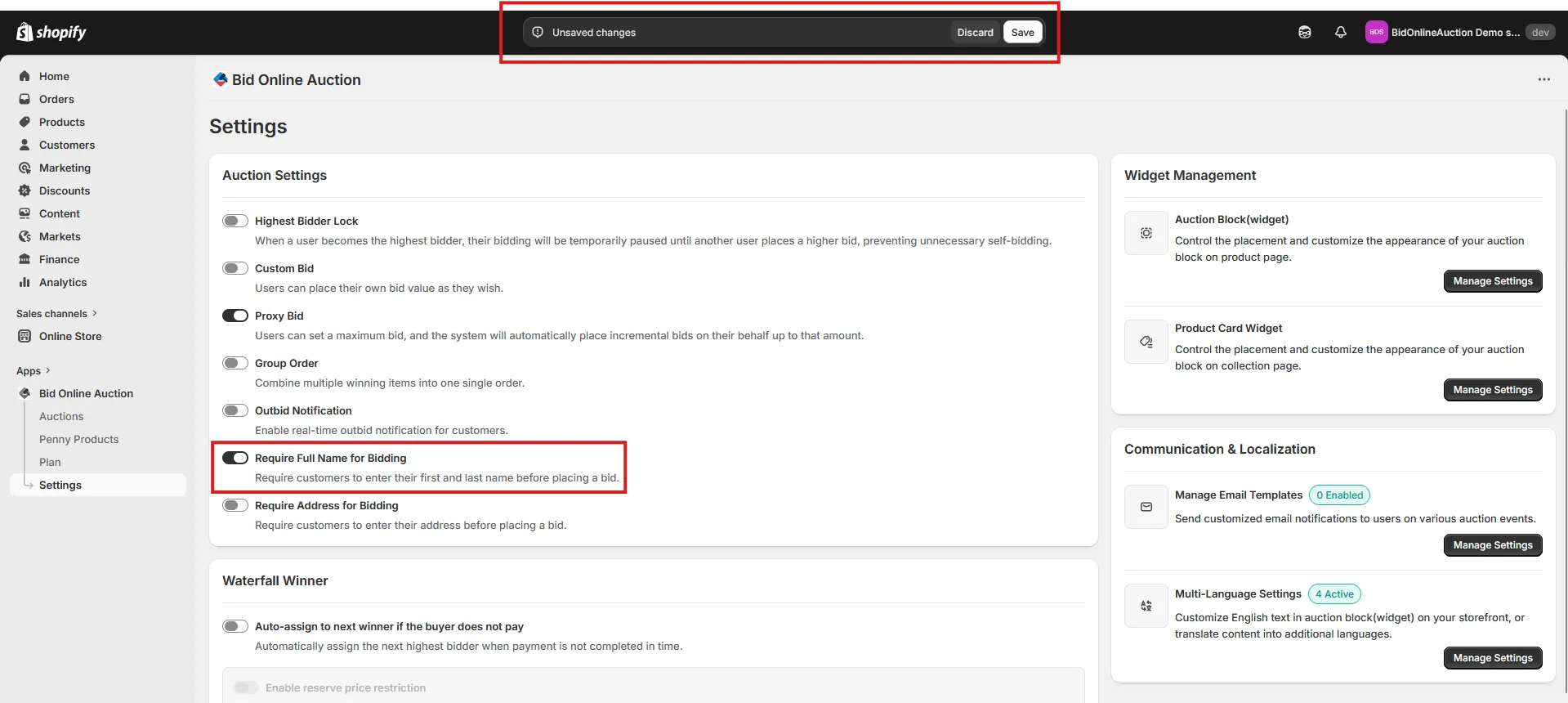
Step 2: Enable "Require Full Name for Bidding"
Check the Require Full Name for Bidding option. When this feature is enabled, users will be restricted from placing a bid if they have not added their first name and last name to their profile. Click Save Settings to update your auction settings.
Step 3: How Users Are Restricted from Bidding Without a Name
Once the Require Full Name for Bidding feature is enabled, users who have not added their first and last name will not be able to place a bid. When a user clicks the Bid button, a popup will appear displaying a message that their first and last name are required to place a bid. The popup will inform them to update their profile. After updating their profile with the required information, they will be able to place a bid successfully.