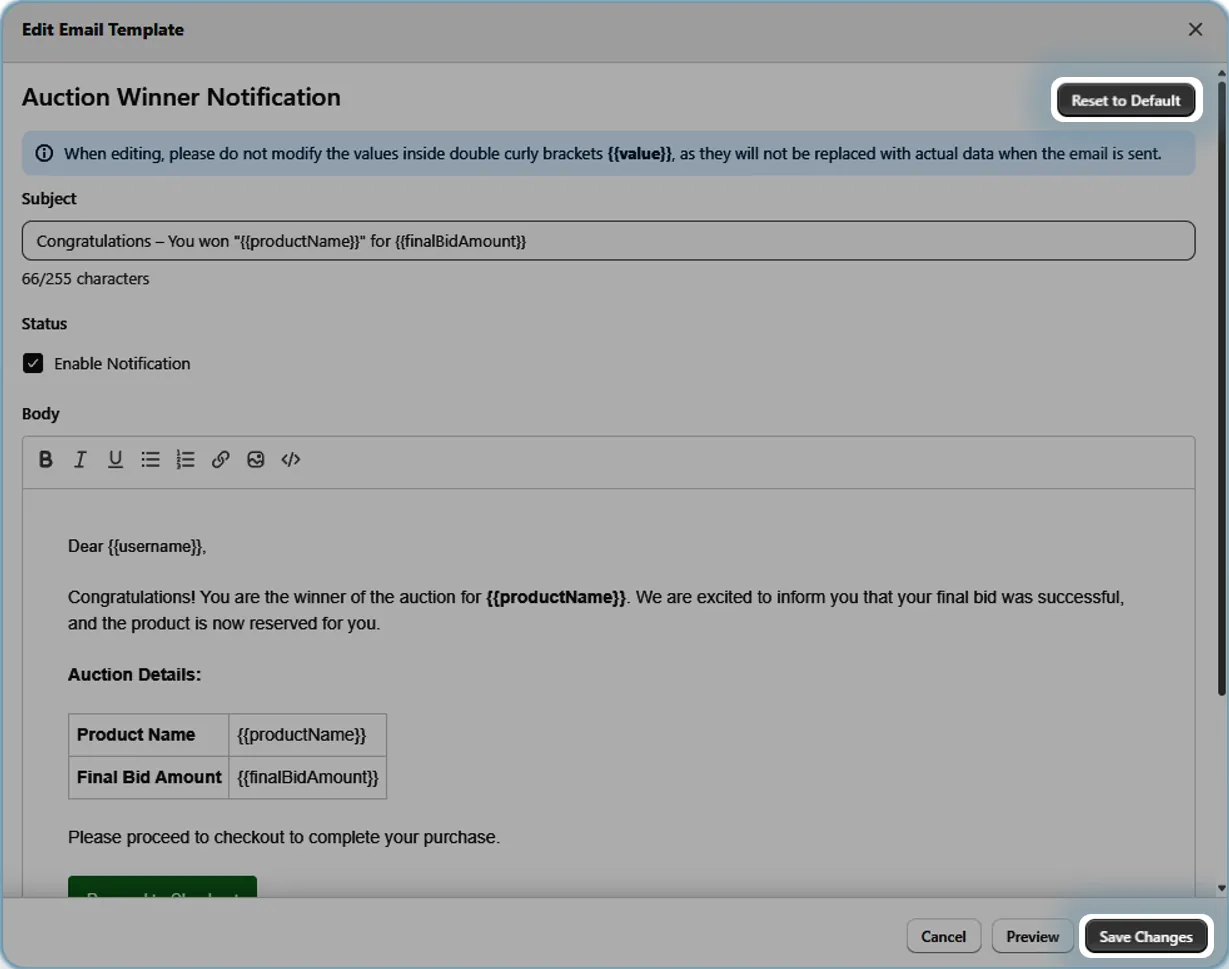
Edit Email Templates
Customize your auction notification emails with rich formatting, links, images, and HTML.
Description
The Edit Email Templates feature allows user to fully customize the look and content of all auction-related email notifications. Users can modify subject lines, format text with bold/italic/underline styling, add links and images, and even edit raw HTML for advanced customization like tables and buttons. A preview function lets you see changes before saving, and a reset option restores default templates if needed.
Video Tutorial
How it works
Step 1: Open Email Templates
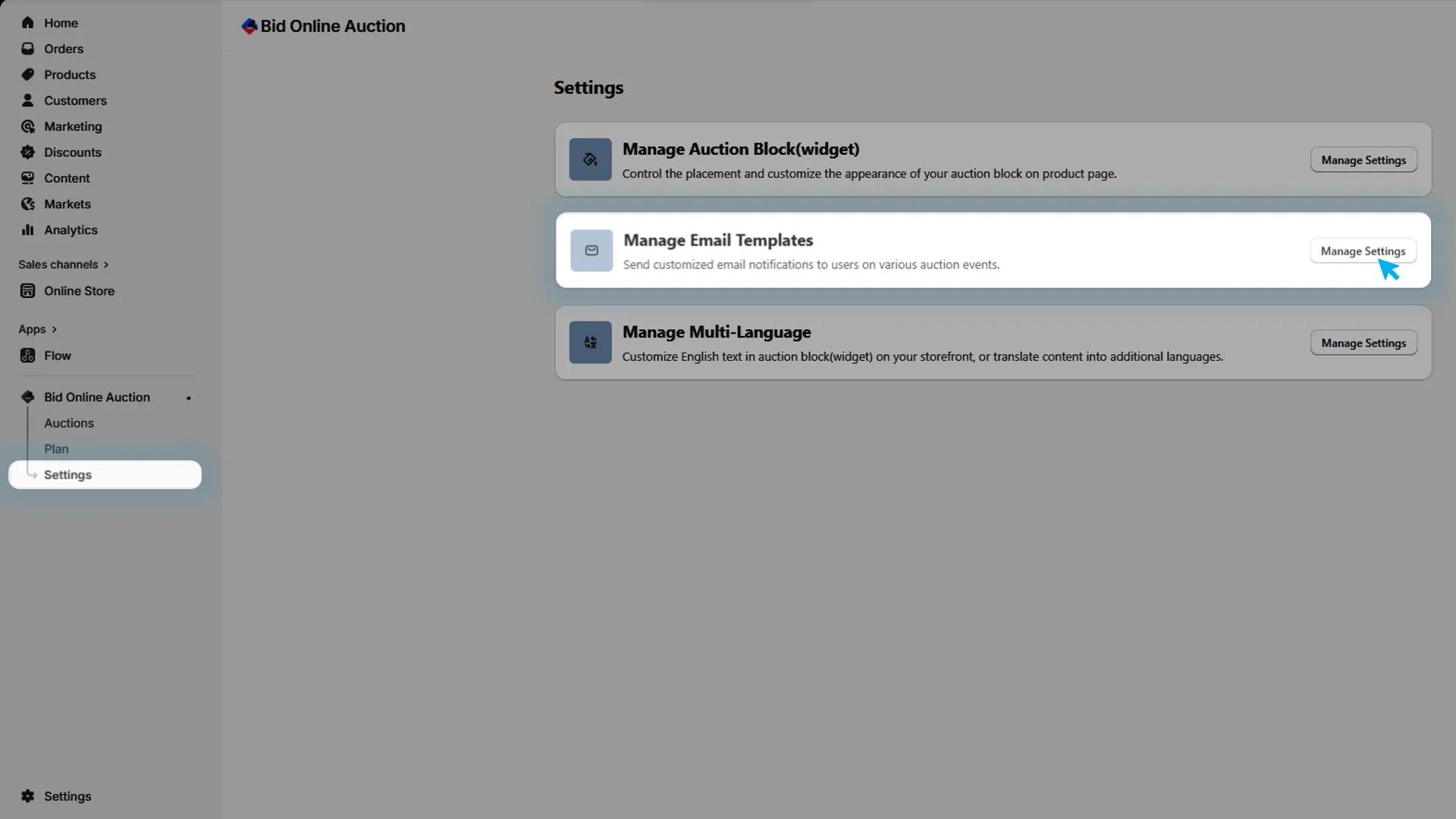
In the installed app, go to Settings and in that Manage Email Templates to manage all auction-related email notifications.
Step 2: Access Template Editor
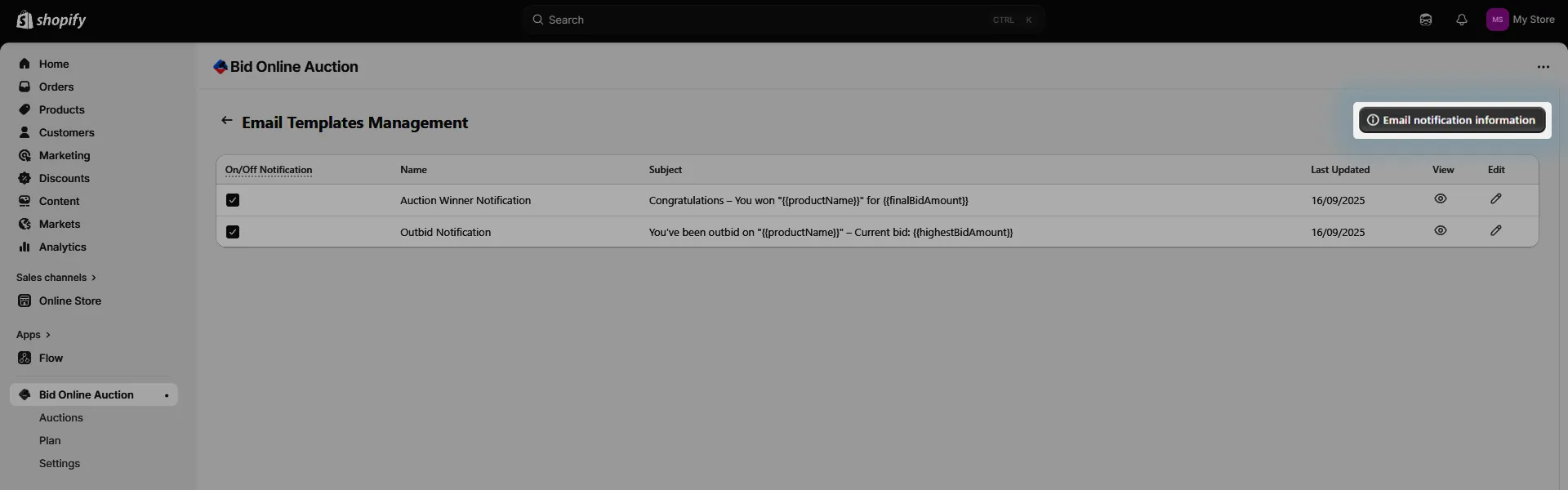
Click the Edit icon in the email template grid to open the editor modal.

Step 3: Edit Subject and Content
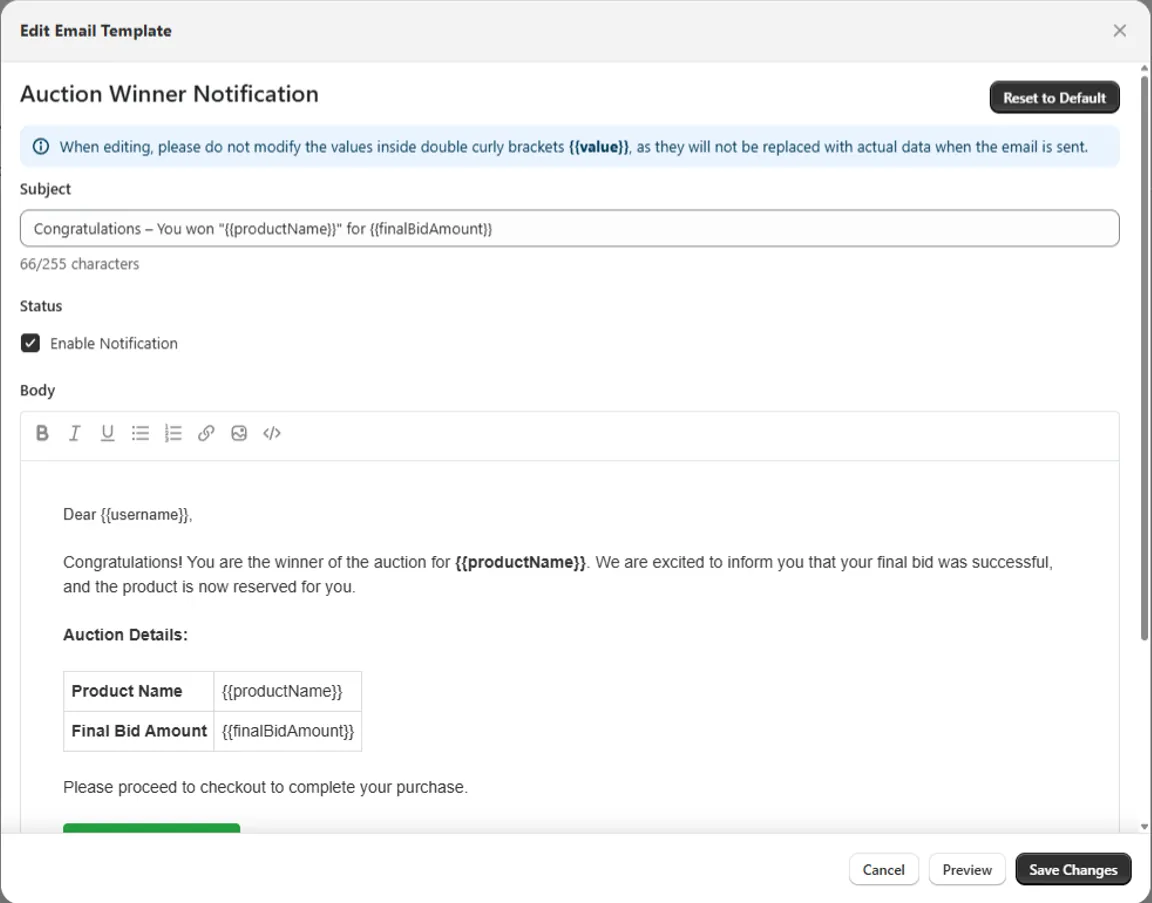
In the editor modal, you can modify both the subject and body of the email template.
Step 4: Format Your Content
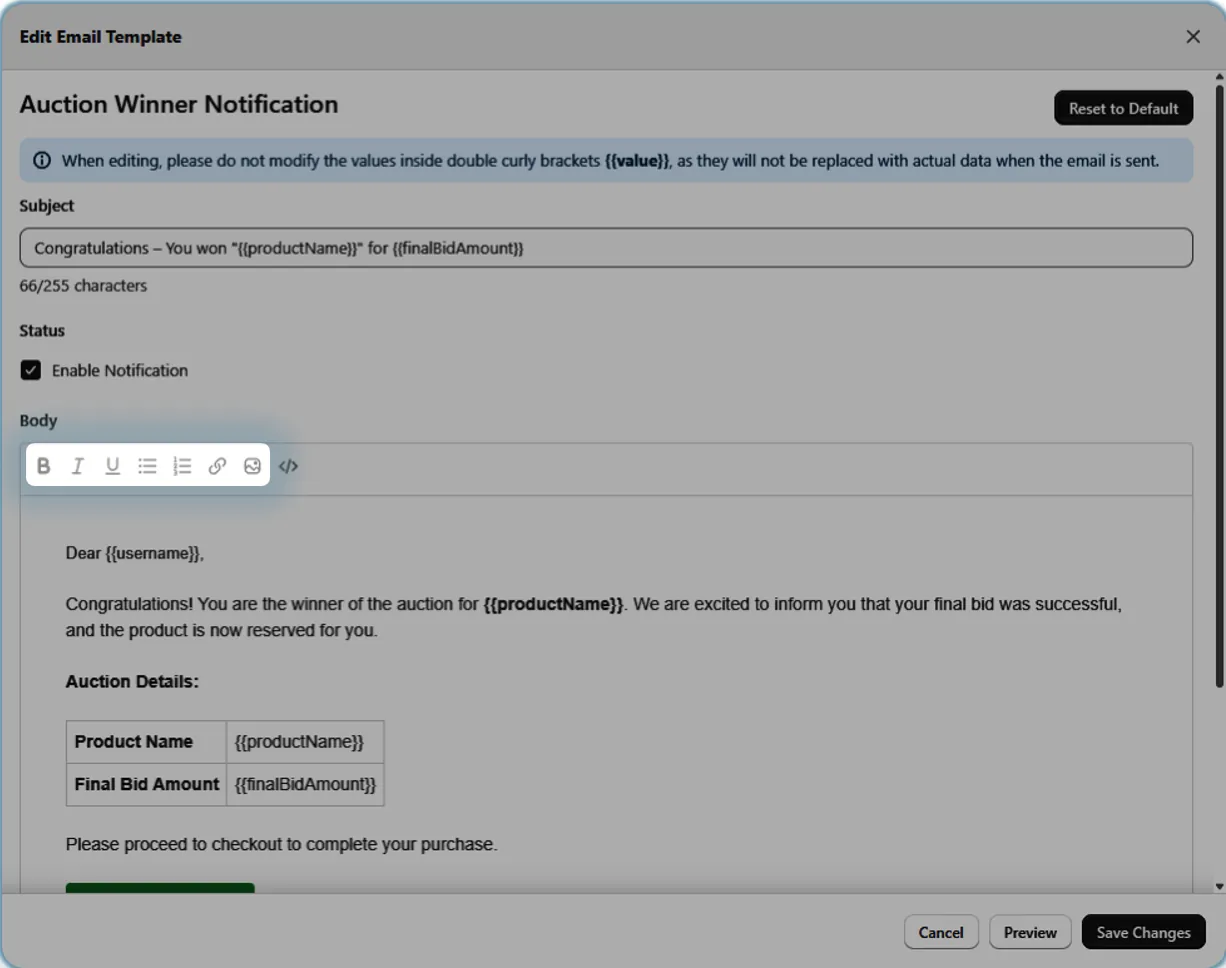
Use the rich text editor to:
- Format text as bold, italic, or underlined
- Add links to external websites or pages
- Insert images to enhance your message
Step 5: Edit Raw HTML (Advanced)
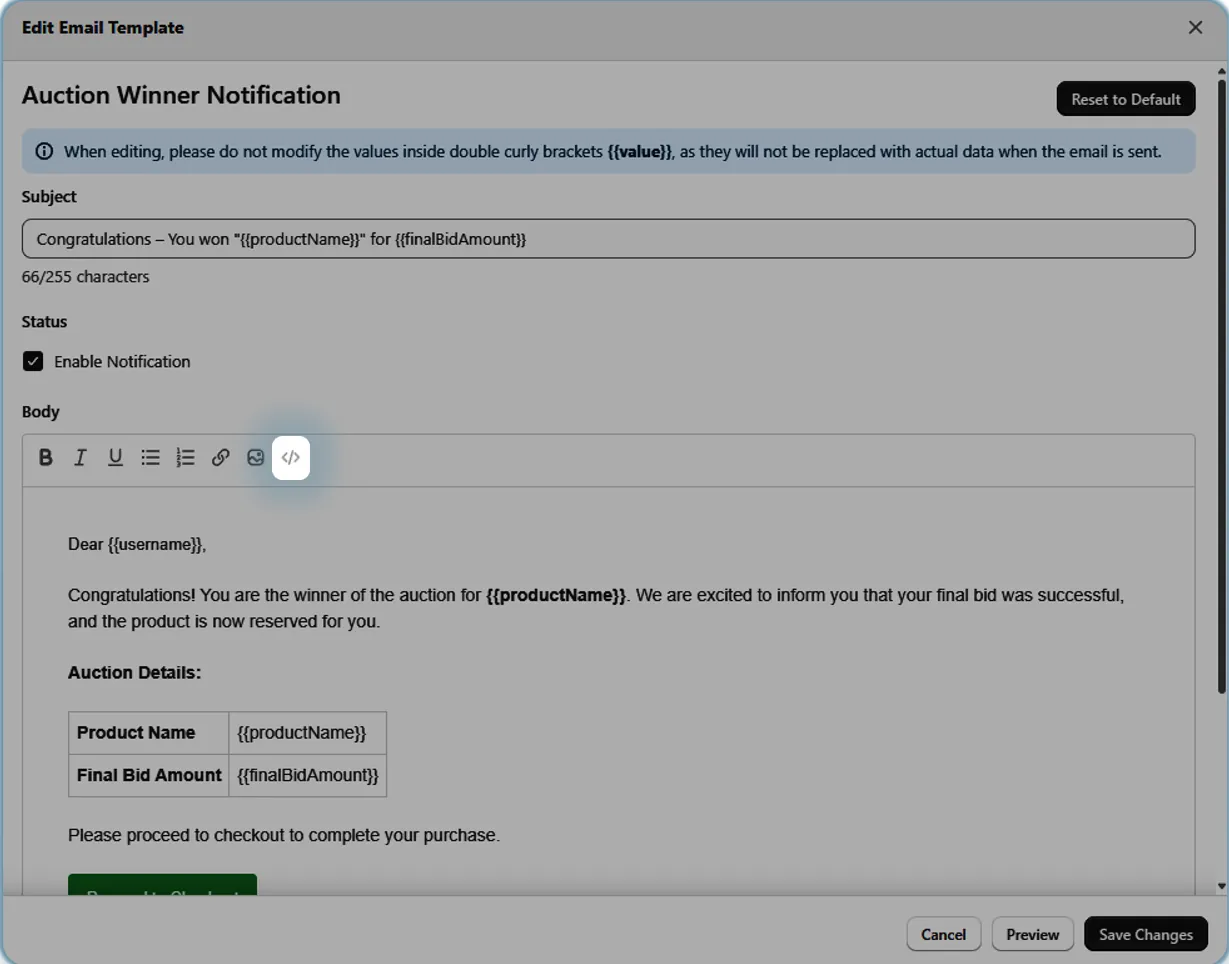
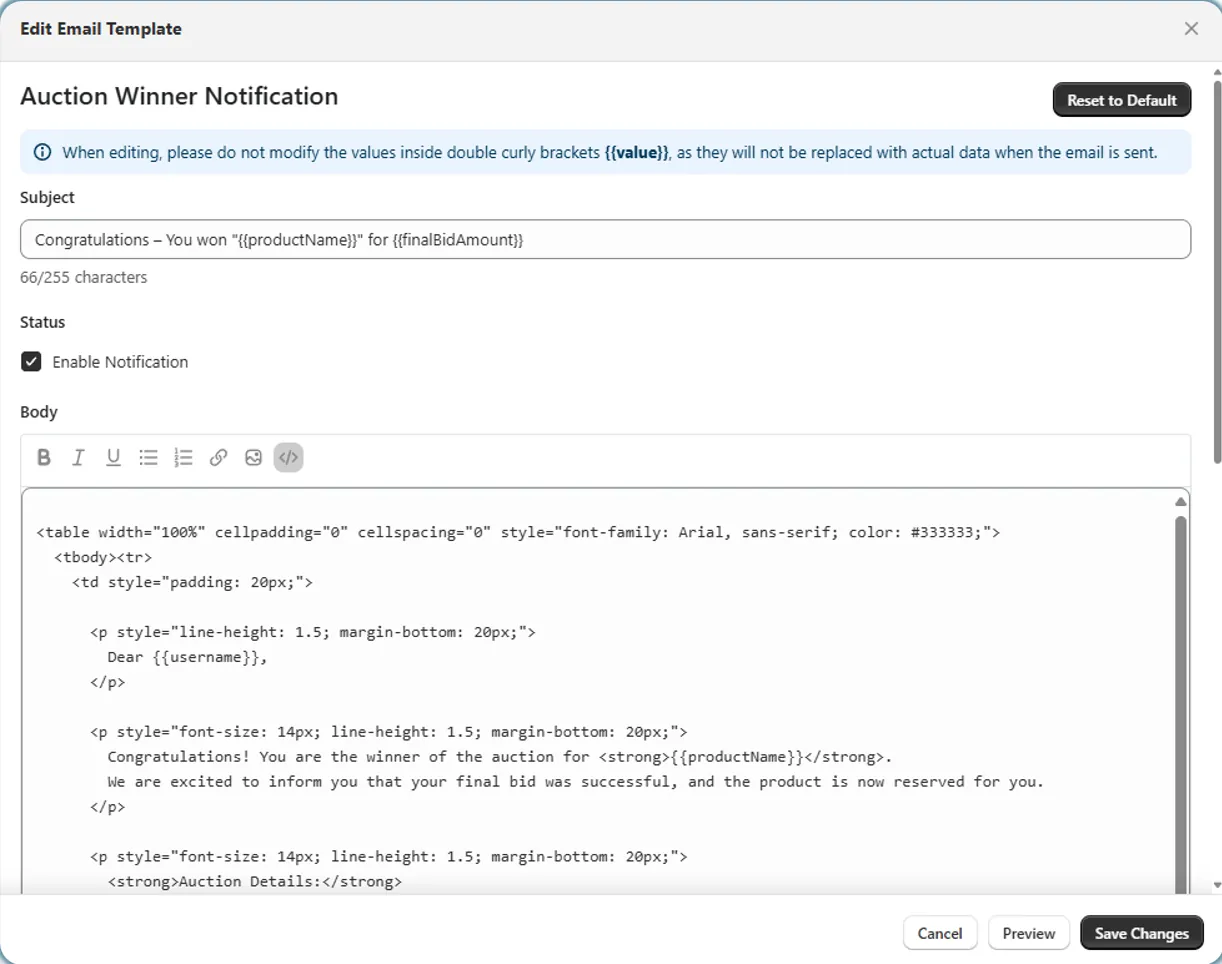
For advanced customization, switch to the HTML editor to add custom elements like tables, buttons, or complex layouts.
Step 6: Preview Your Changes
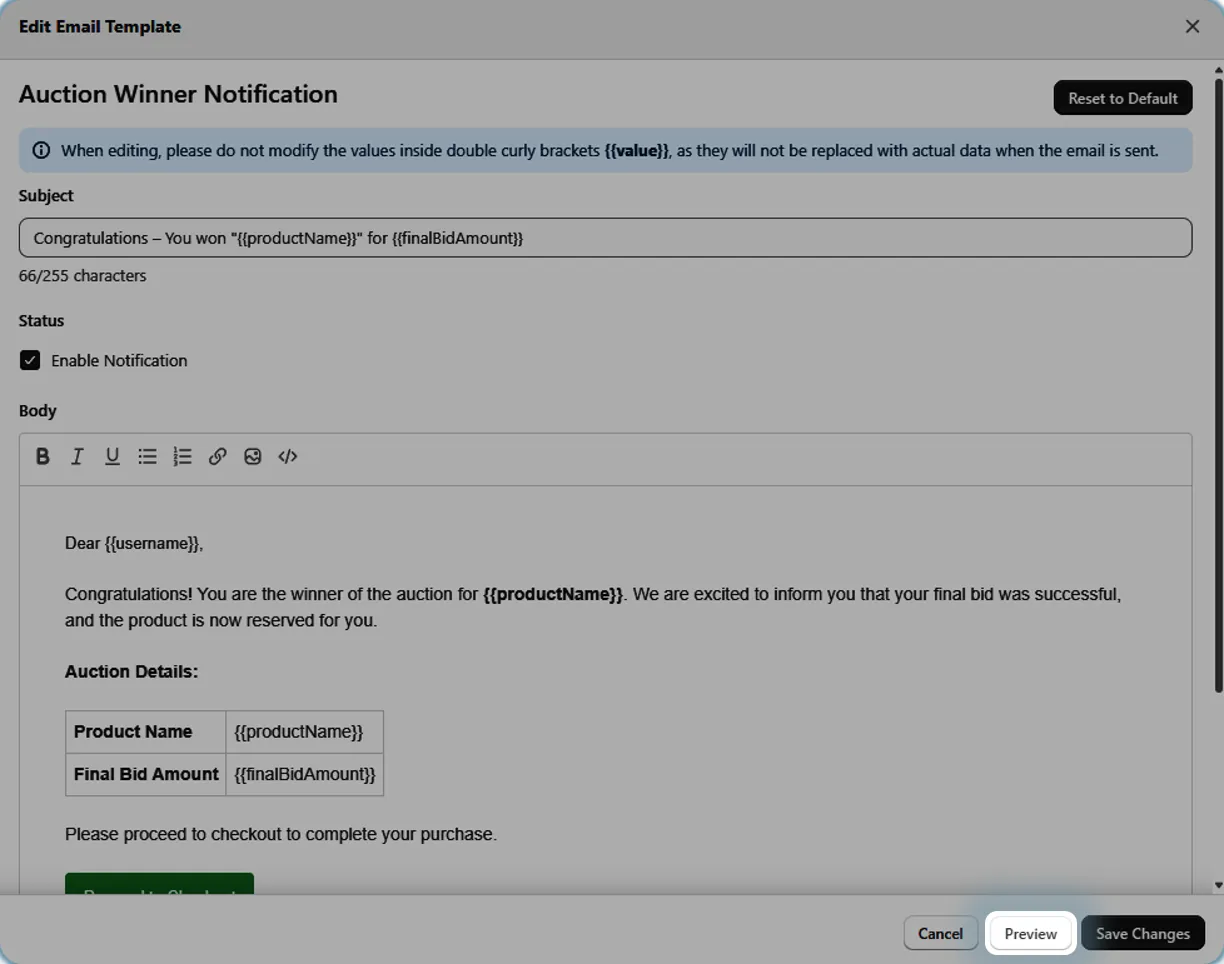
Click the Preview button to see how your email will appear to recipients before saving.
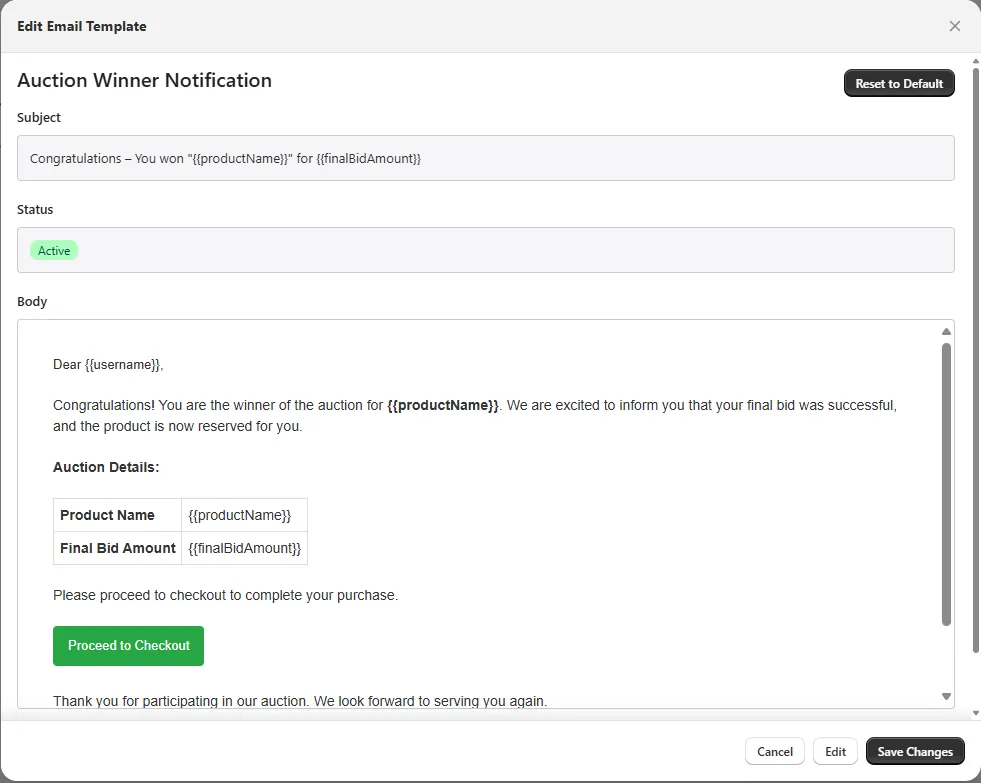
Step 7: Save or Reset
Click Save to apply your changes, or use the Reset button in the top corner to restore the default template and then click Save to apply the changes.