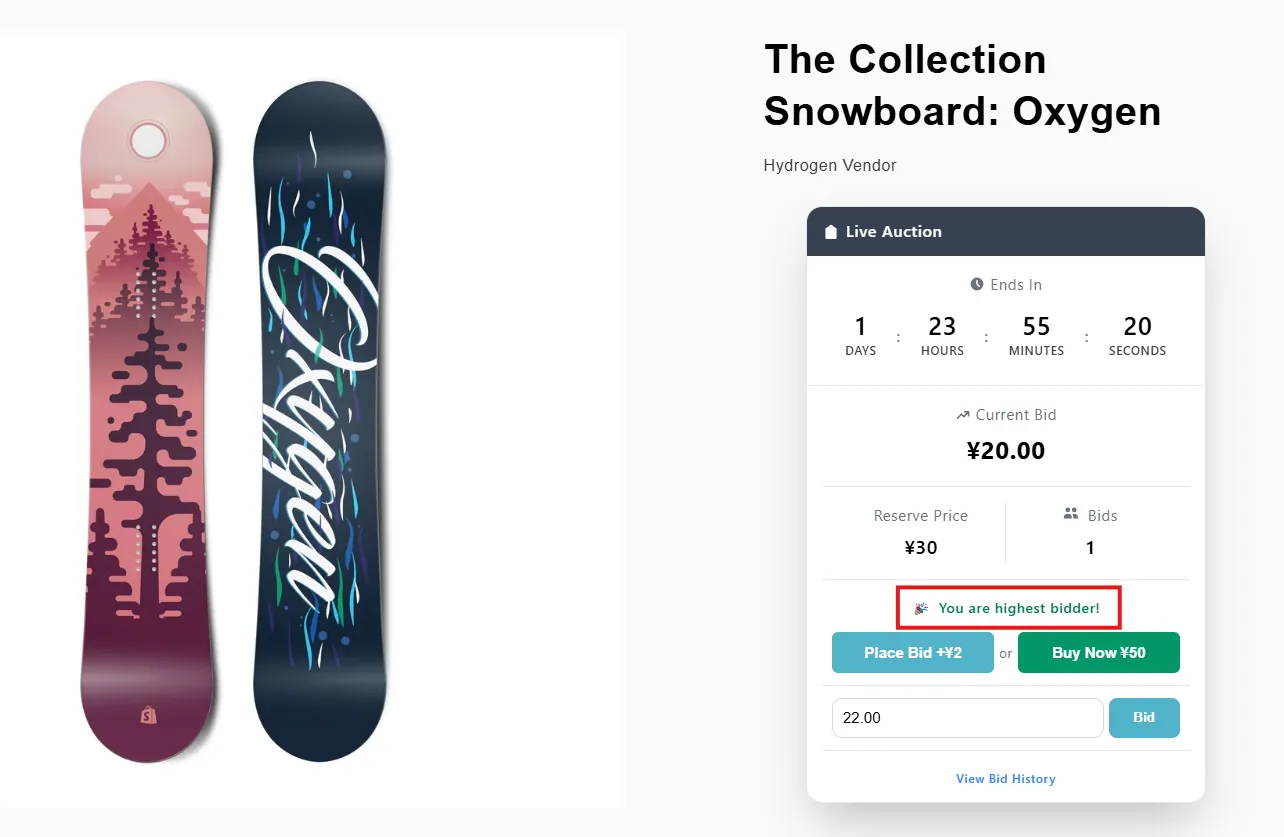
Highest Bidder Lock
Restrict the highest bidder from submitting consecutive bids until they are outbid.
Description
Prevents the highest bidder from placing another bid until they are outbid by another participant, ensuring fair competition and avoiding unnecessary self-bidding.
Video Tutorial
How it works
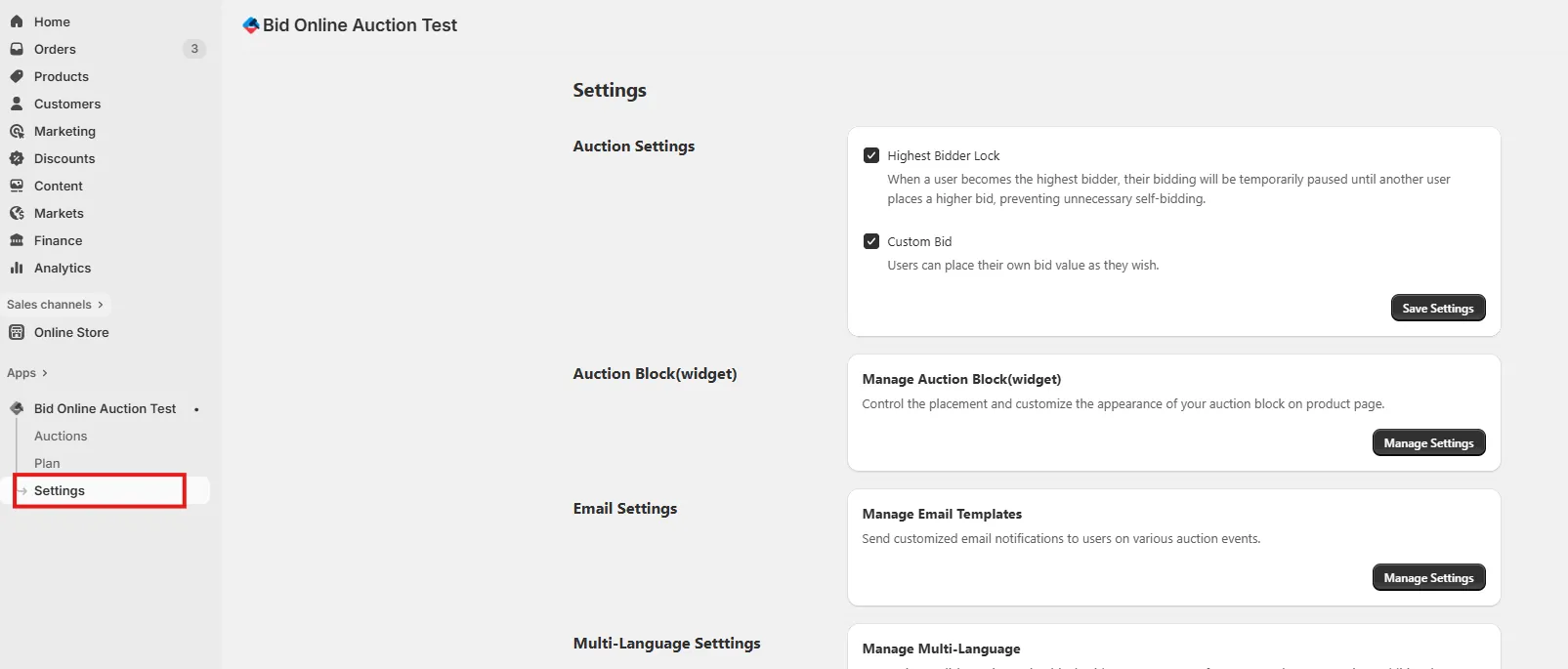
Step 1: Access Settings Page
Go to the Settings page in your installed app to access various configuration options.
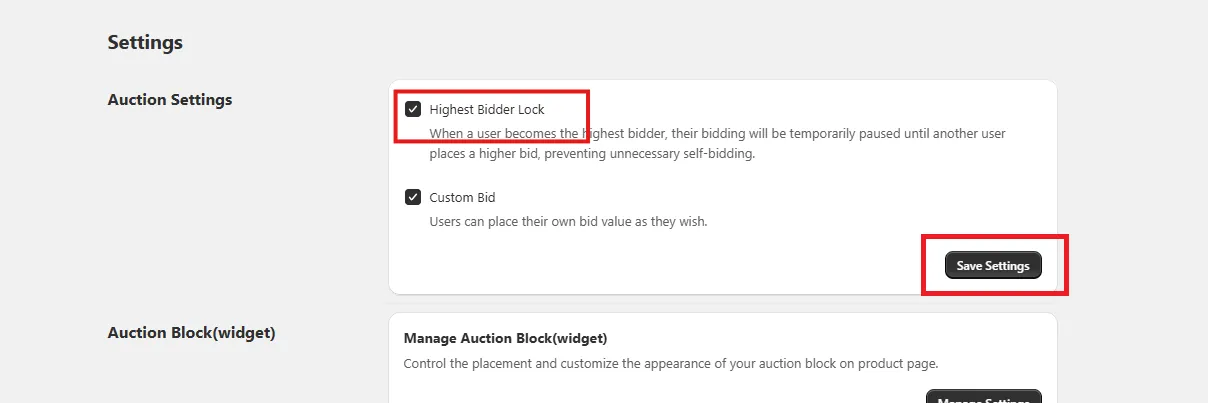
Step 2: Enable Highest Bidder Lock
When enabled “Highest Bidder Lock” option, the current highest bidder will be restricted from placing new bids until they are outbid by another participant.
After enabling the feature, click Save Settings to update your auction settings.
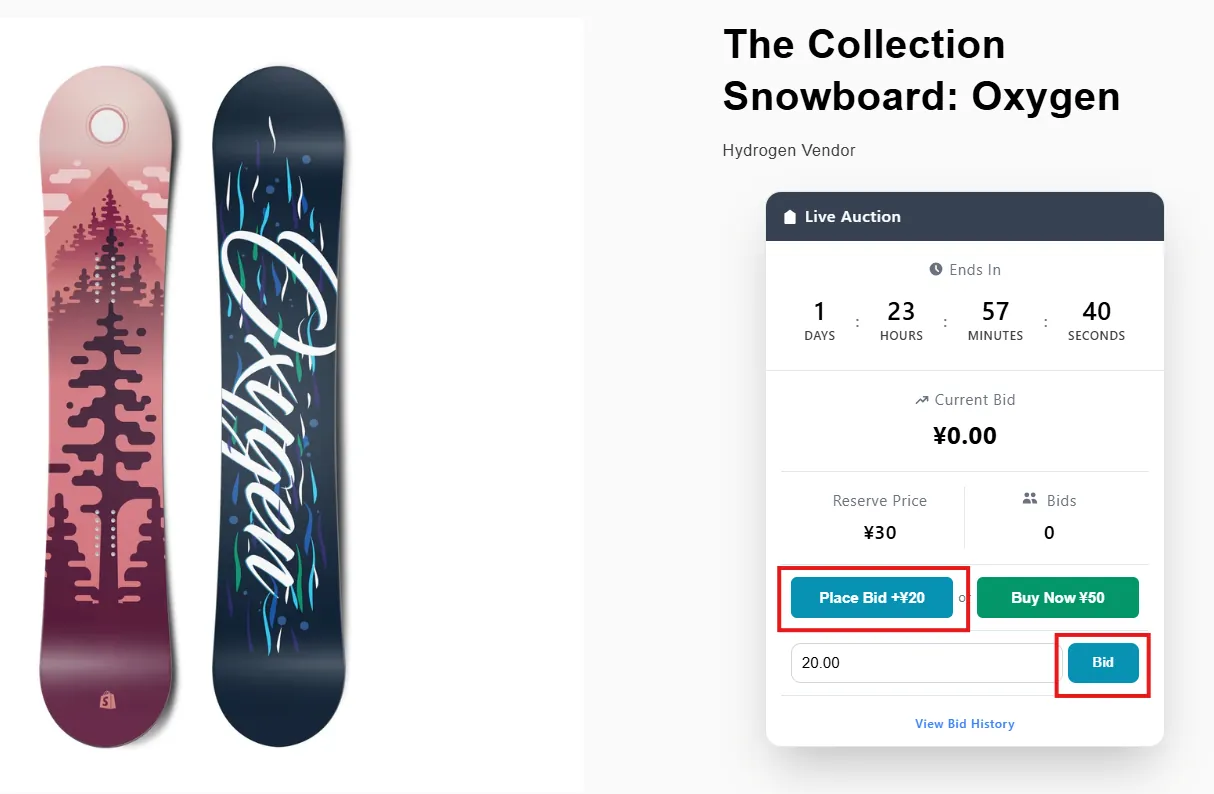
Step 3: Place a Bid
During a live auction, users can place either a Quick Bid or a Custom Bid.
Step 4: Live Auction Behavior
Once a user becomes the highest bidder, the bid button is disabled for that user until another bidder places a higher bid. A message such as “You are the highest bidder!” will be displayed.