
Custom Bid
Allow bidders to manually enter their desired bid amount instead of fixed increments.
Description
With the Custom Bid feature, bidders can input their own bid amounts beyond the predefined increment levels. The system validates each bid to ensure it exceeds the current bid plus the minimum increment, allowing more flexibility while maintaining auction rules.
Video Tutorial
How it works
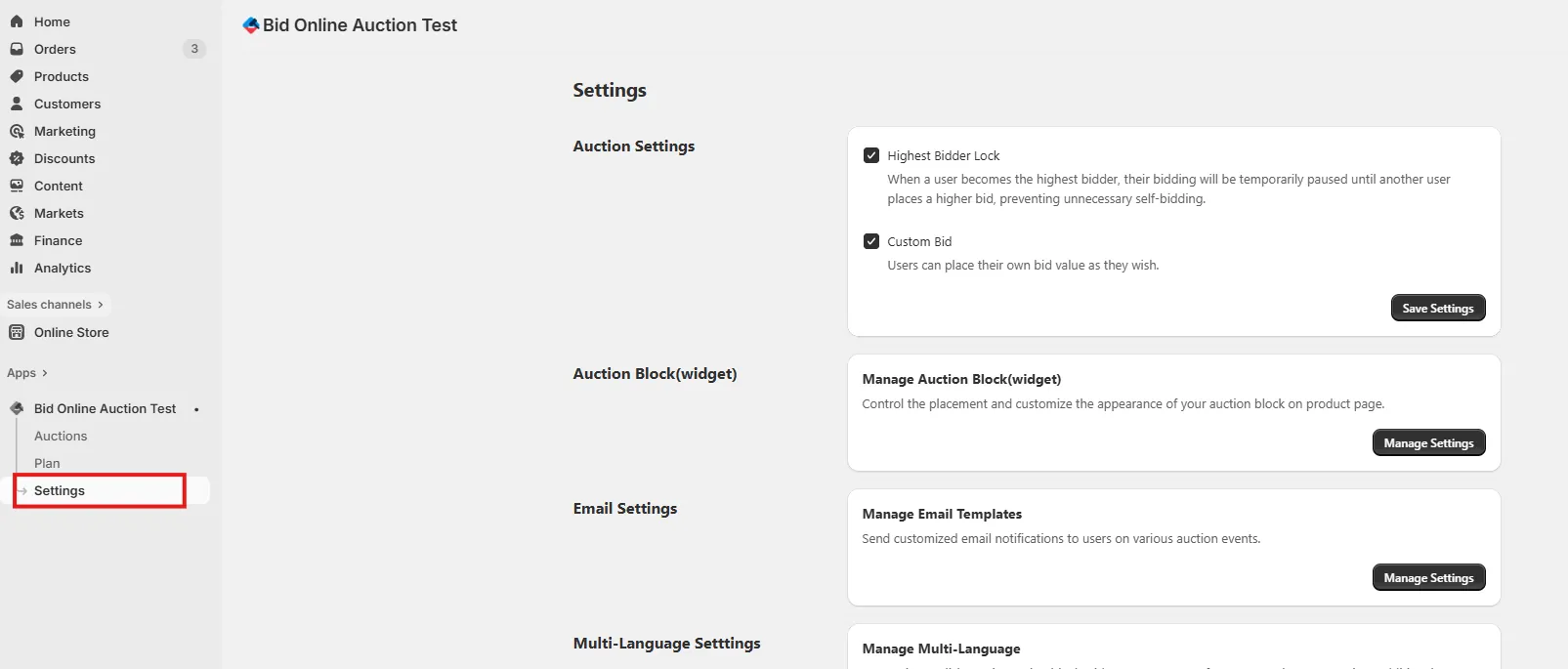
Step 1: Access Settings Page
Go to the Settings page in your installed app to access various configuration options.
Step 2: Enable Custom Bid
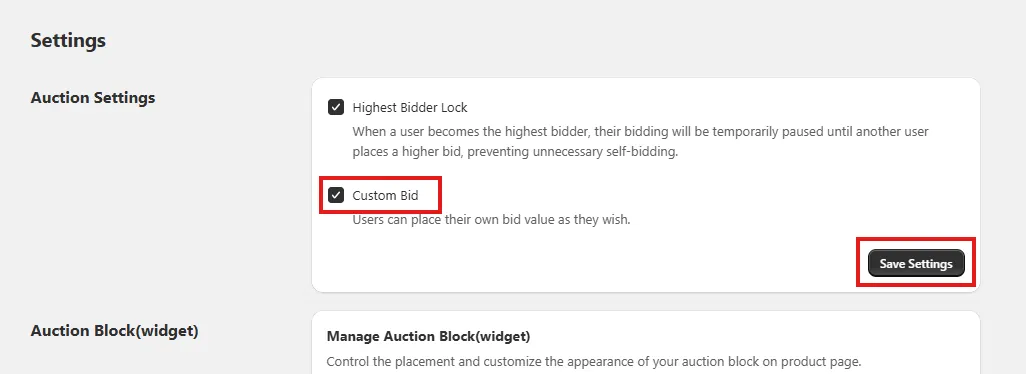
Check the “Custom Bid” option.
When enabled, users enter their own bid amounts manually instead of fixed increments.
After enabling the feature, click Save Settings to update your auction settings.
Step 3: Enter Custom Bid During Live Auction
On the live auction page, bidders will see a custom input box where they can type their bid amount.
Click the “Bid” button to place your custom bid.
🔒Note: The custom bid amount cannot be empty and must be greater than or equal to the current bid + bid increment.

Step 4: Submited Custom Bid
Once a custom bid is placed, the current bid amount will be updated in real-time for all users.