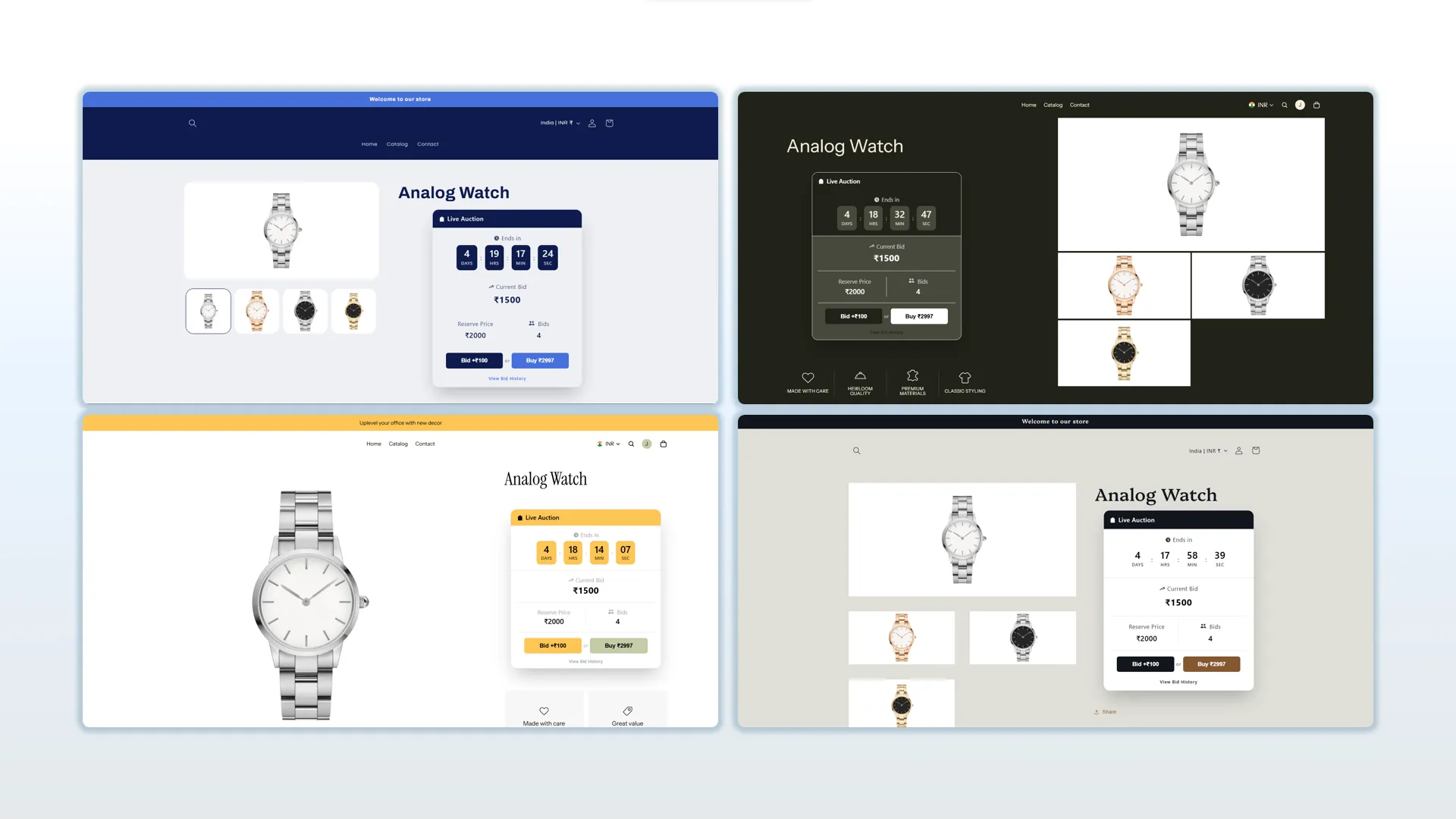
Block Designing
Customize the appearance of your auction block, including colors for the header, timer, buttons, and text, to match your store's branding and style
Description
In the settings section of the installed app, you will find options to customize the auction block that appears on the storefront when an auction is created. From there, you can adjust the colors of the header, timer, buttons, text, and more to match your store branding and theme style.
Video Tutorial
How it works
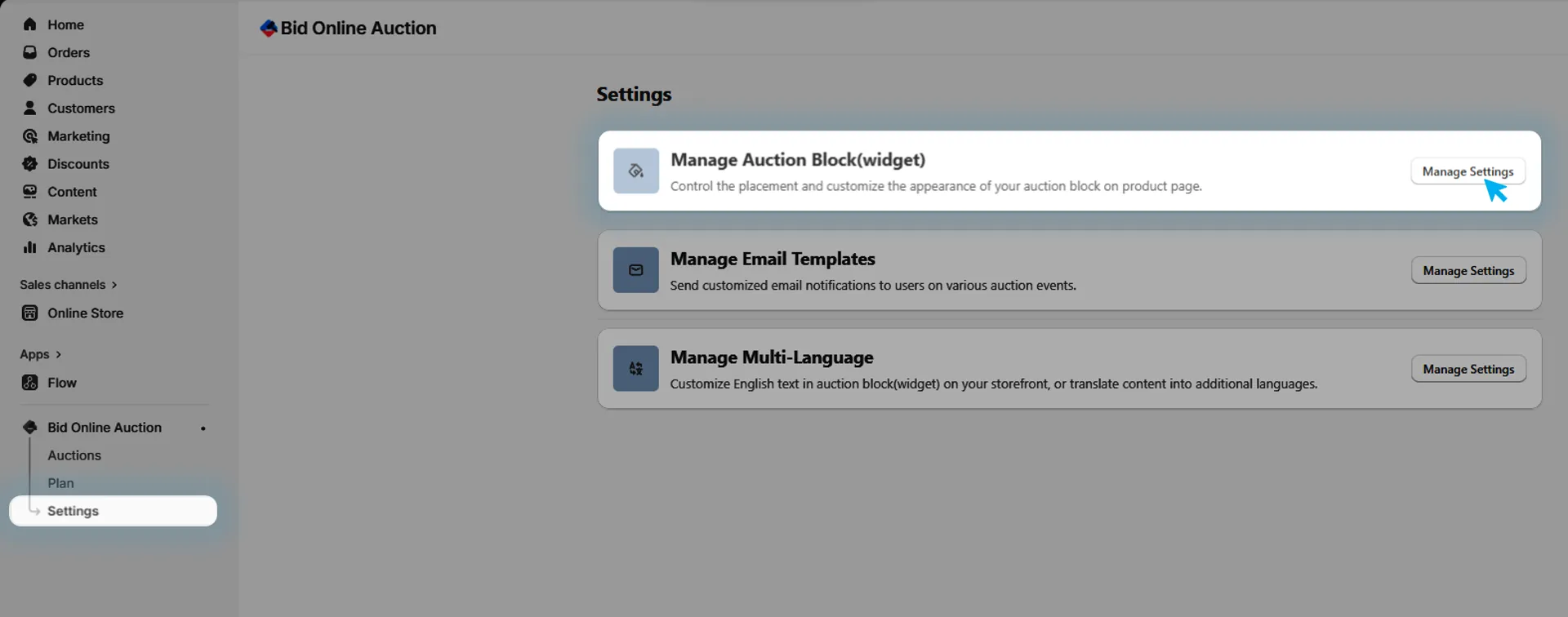
Step 1: Go to Auction Block(widget) Management
In the installed app, go to Settings and in that Manage Auction Block(widget) to manage auction block(widget) design on store front.
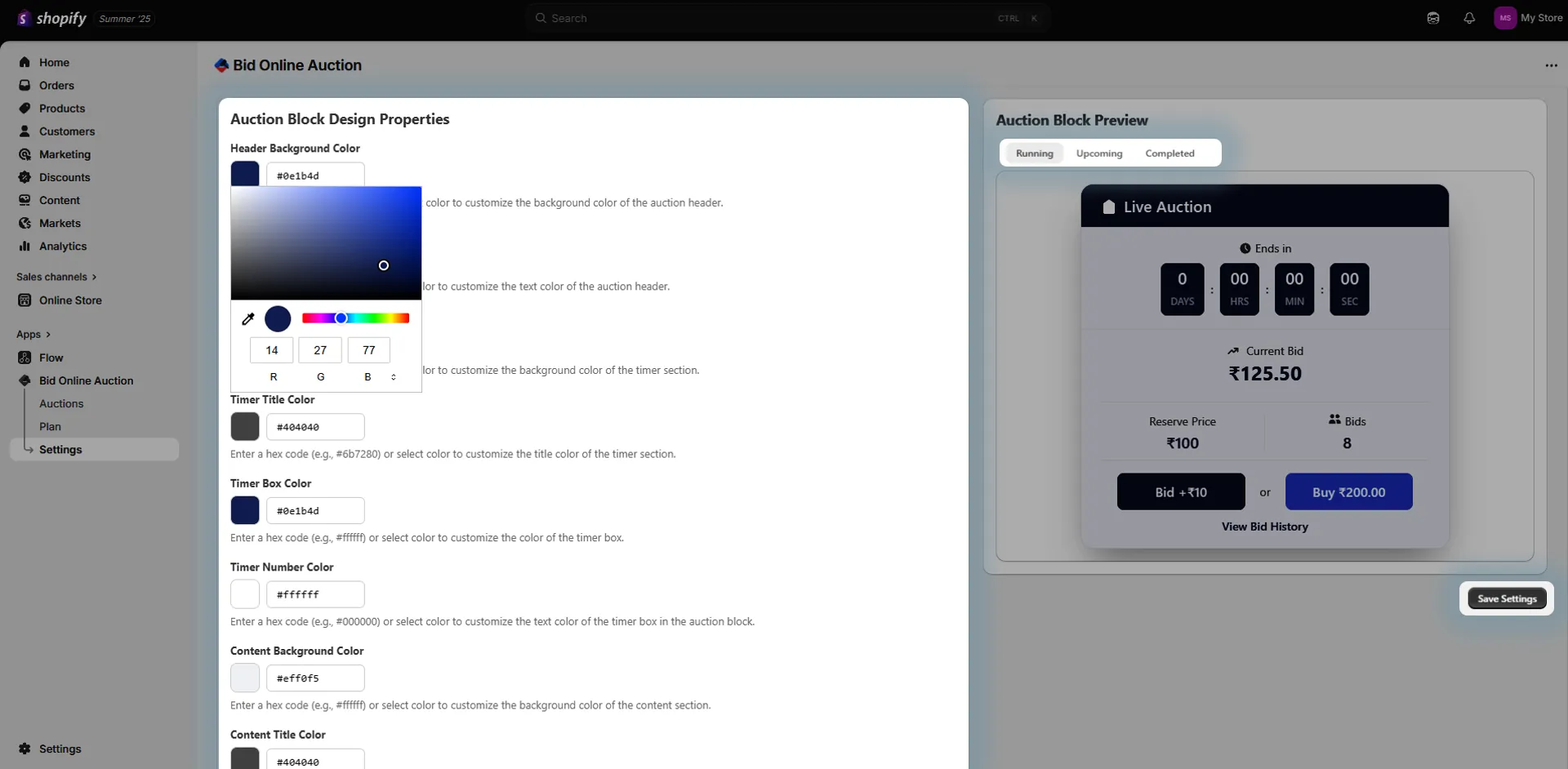
Step 2: Locate Block Design Options
In the settings, look for the "Auction Block Design" or similar customization section.
Step 3: Customize Appearance
You'll find multiple options to personalize the visual elements of the auction block, including:
- 🎨 Header Color — Change the background or text color of the auction block header.
- ⏱️ Timer Color — Customize the countdown timer to match your brand.
- 🔘 Button Colors — Style action buttons like "Place Bid" or "Buy Now".
- 📝 Text Colors — Adjust font colors for better visibility and consistency.
- 🧩 Other Elements — Customize additional visual components based on your preferences.
The changes you make will be reflected in different views of the auction block depending on the auction status (e.g., upcoming, live, ended), which you can preview in the Preview section beside each design setting.
Once you're satisfied with the design, click the Save button to apply your changes.
Step 4: Save Your Changes
After making your customizations, click Save to apply them.
The auction block on your product pages will now reflect your selected styles.
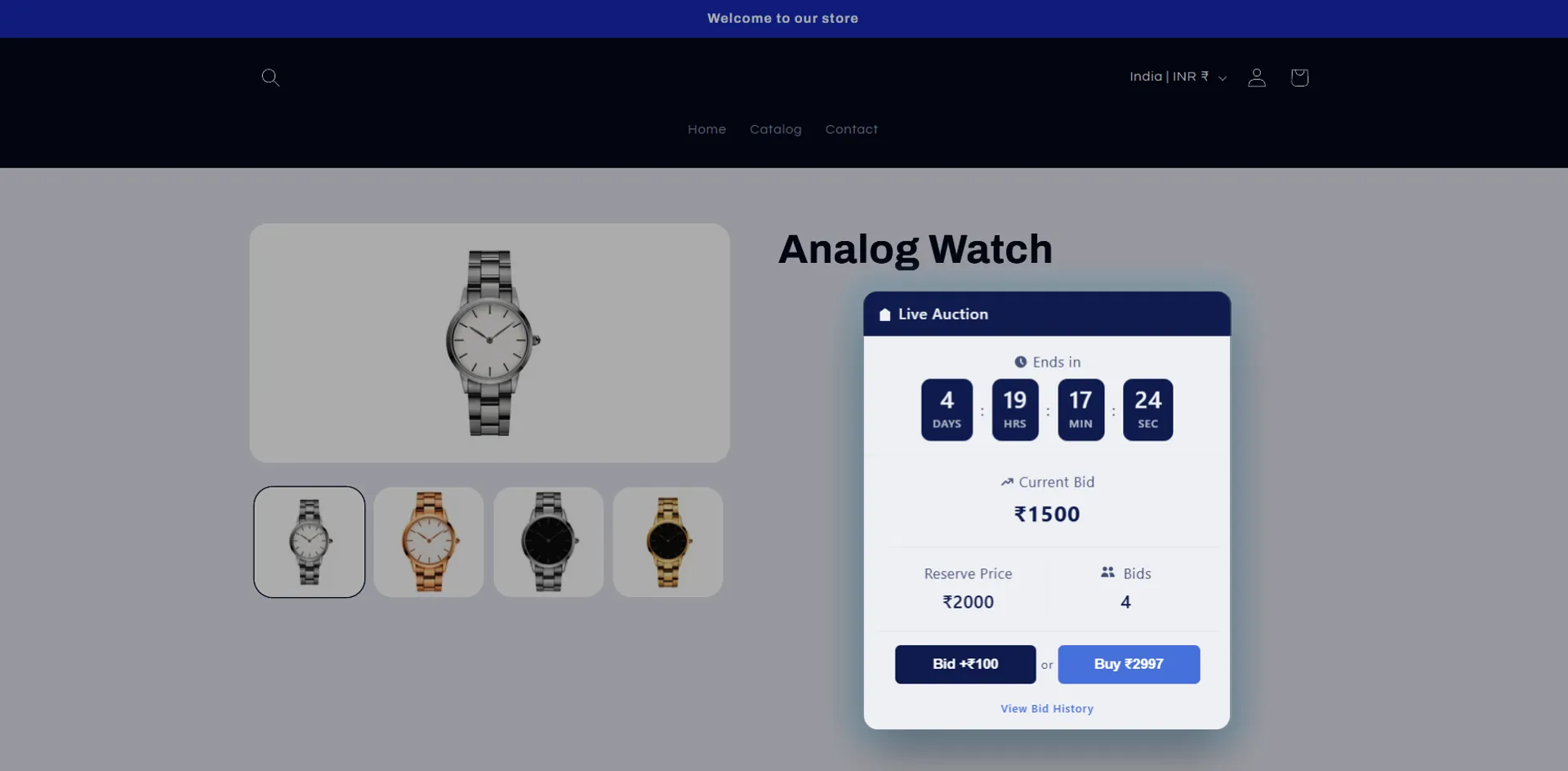
💡 Tip: Match your auction block colors with your theme’s primary palette to create a seamless shopping experience for your customers.