
Manual Winner Selection
Choose the auction winner manually from the bid history.
Description
The Manual Winner Selection feature allows auction merchants to pick the winner directly from the bid history of a completed auction. Instead of relying on system, you can review the bidders and manually assign the winner with a single click, offering full control over the final outcome.
Video Tutorial
How it works
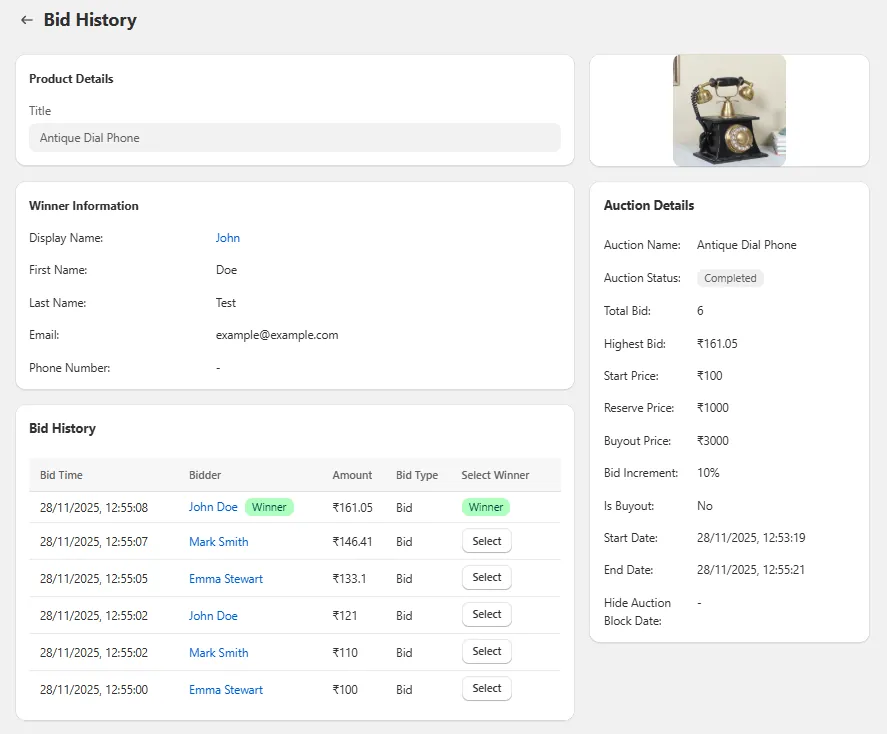
Step 1: Go to Bid History
Open any completed auction in your app dashboard and navigate to the Bid History page.
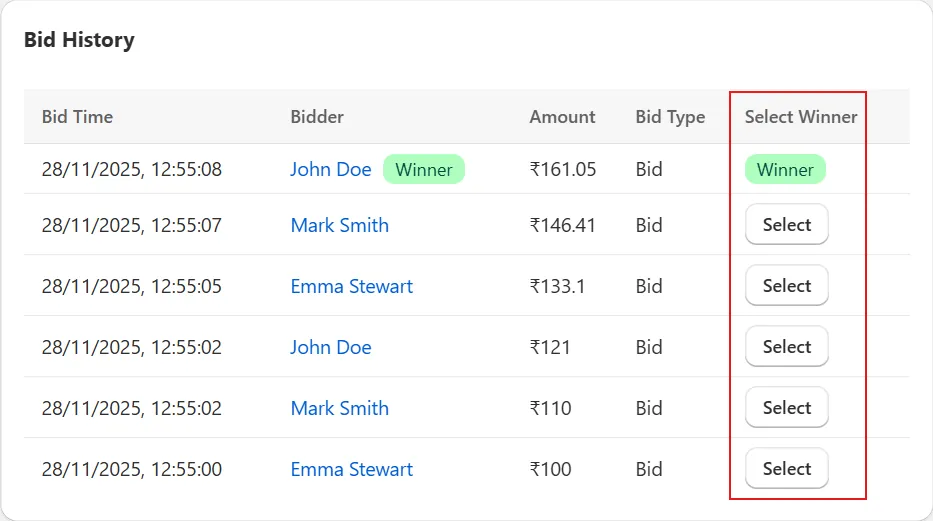
Step 2: Locate the "Select Winner" Button
Inside the Bid History table, look for the "Select Winner" button in the Select Winner column next to the bidder you want to assign as the winner.
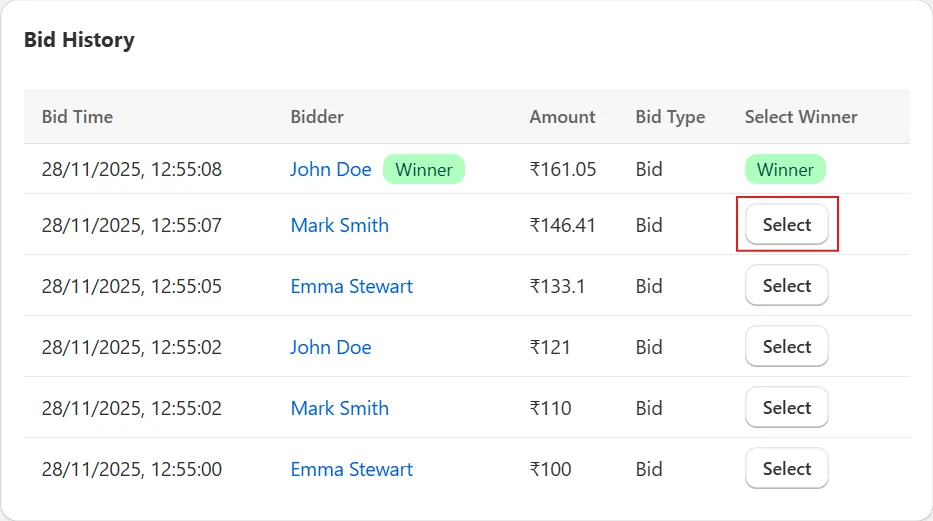
Step 3: Click the Button
Click the "Select Winner" button corresponding to the bidder you want to choose as the winner.
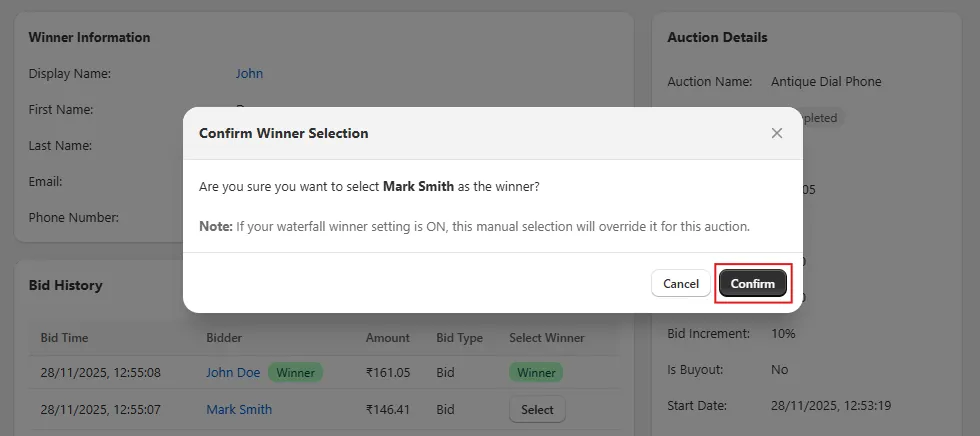
Step 4: Confirm the Action
A confirmation popup will appear. Click Confirm to finalize the winner selection.
Note: If your waterfall winner setting is ON, this manual selection will override it for this auction.
Step 5: Winner Assigned Successfully
After confirmation, the selected user will be marked as the winner of the auction, and the status will update instantly.