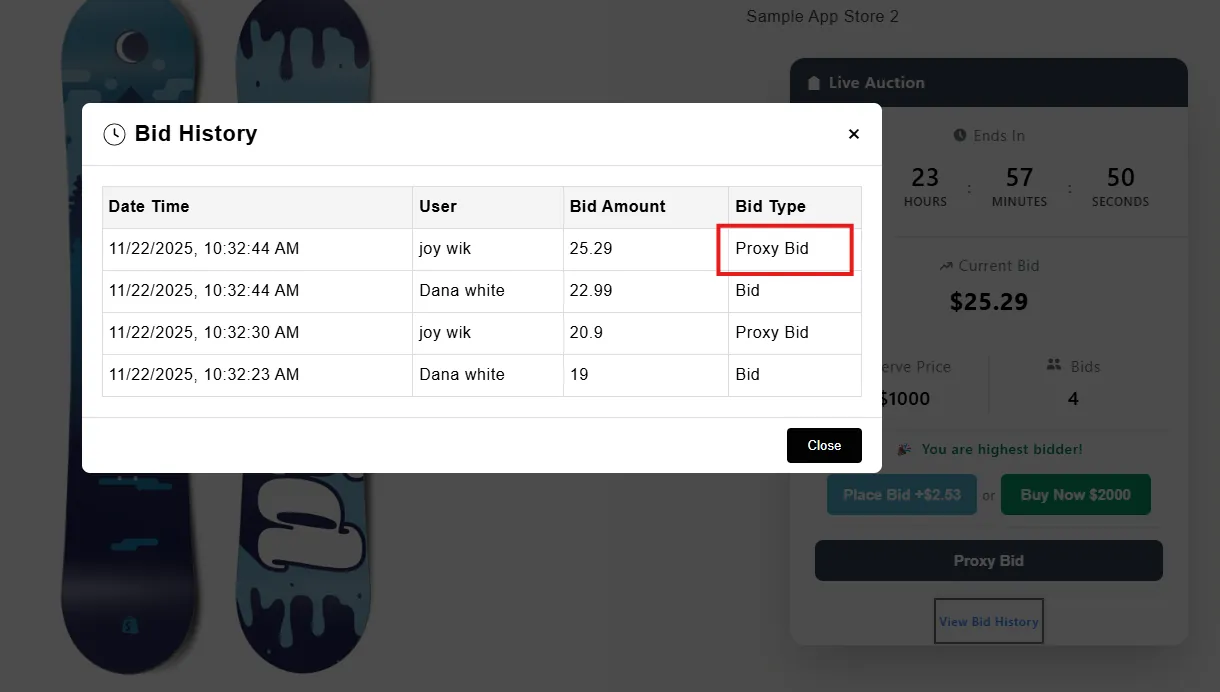
Proxy Bid
Automatically place bids on behalf of bidders up to their maximum limit.
Description
The Proxy Bid feature allows bidders to set a maximum bid amount. The system automatically places the minimum required bid each time they are outbid, until their maximum limit is reached. This ensures bidders stay competitive without needing to monitor the auction constantly.
Video Tutorial
How it works
Step 1: Access Settings Page
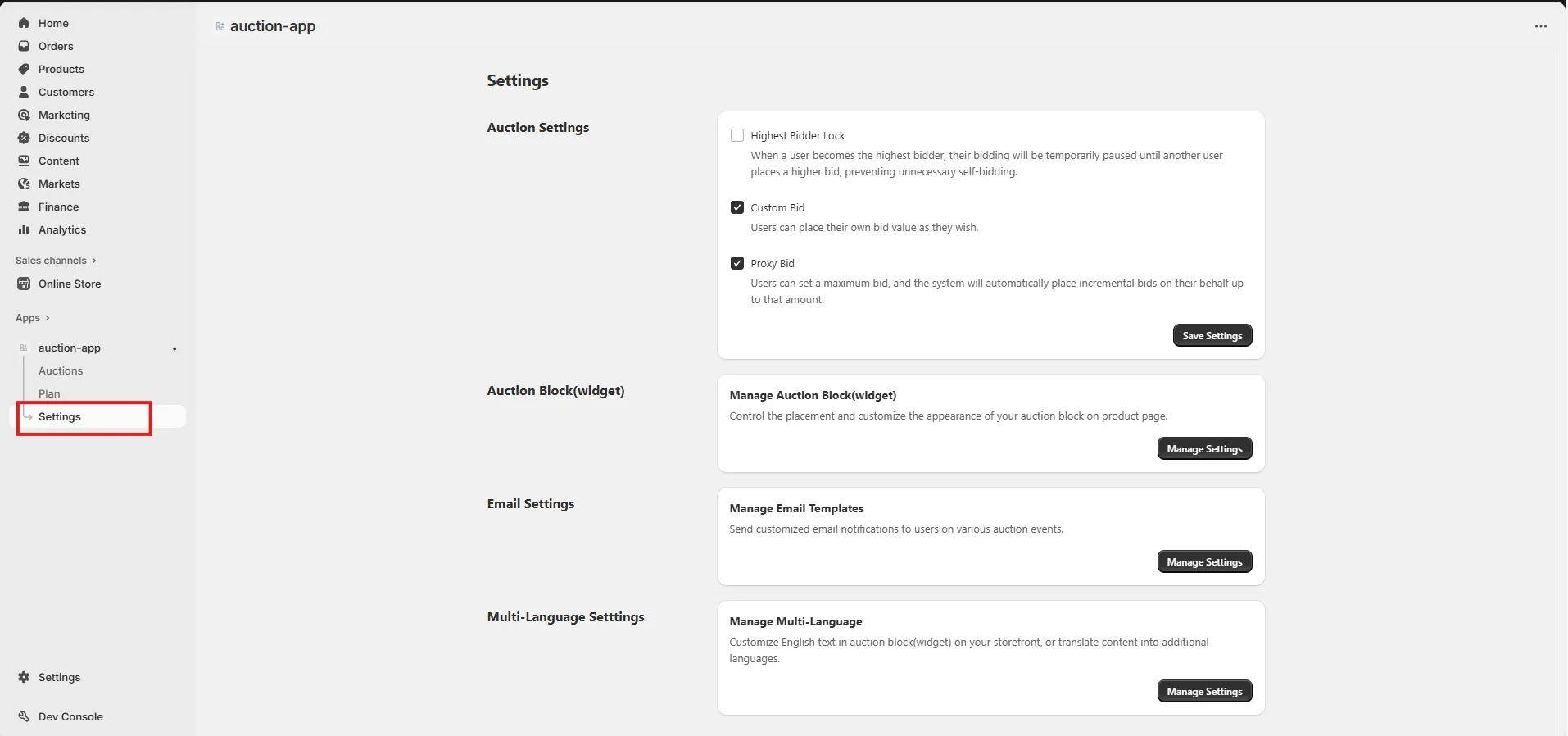
Go to the Settings page in your installed app to access various configuration options.
Step 2: Enable Proxy Bid
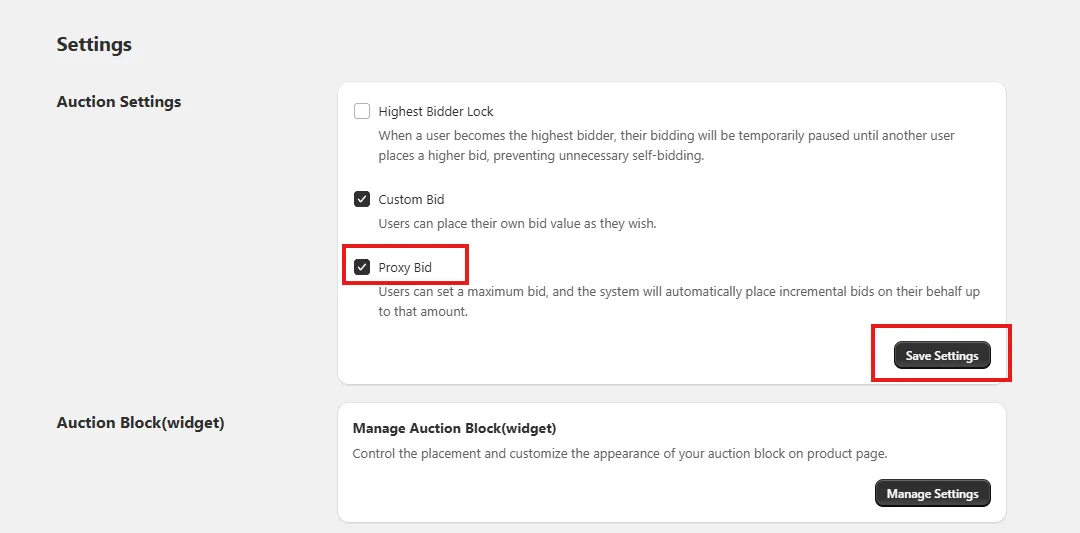
Check the “Proxy Bid” option.
When enabled, bidders can set a maximum bid amount, and the system will automatically place incremental bids on their behalf whenever someone outbids them.
After enabling the feature, click Save Settings to update your auction settings.
Step 3: Click the “Proxy Bid” Button on Live Auction
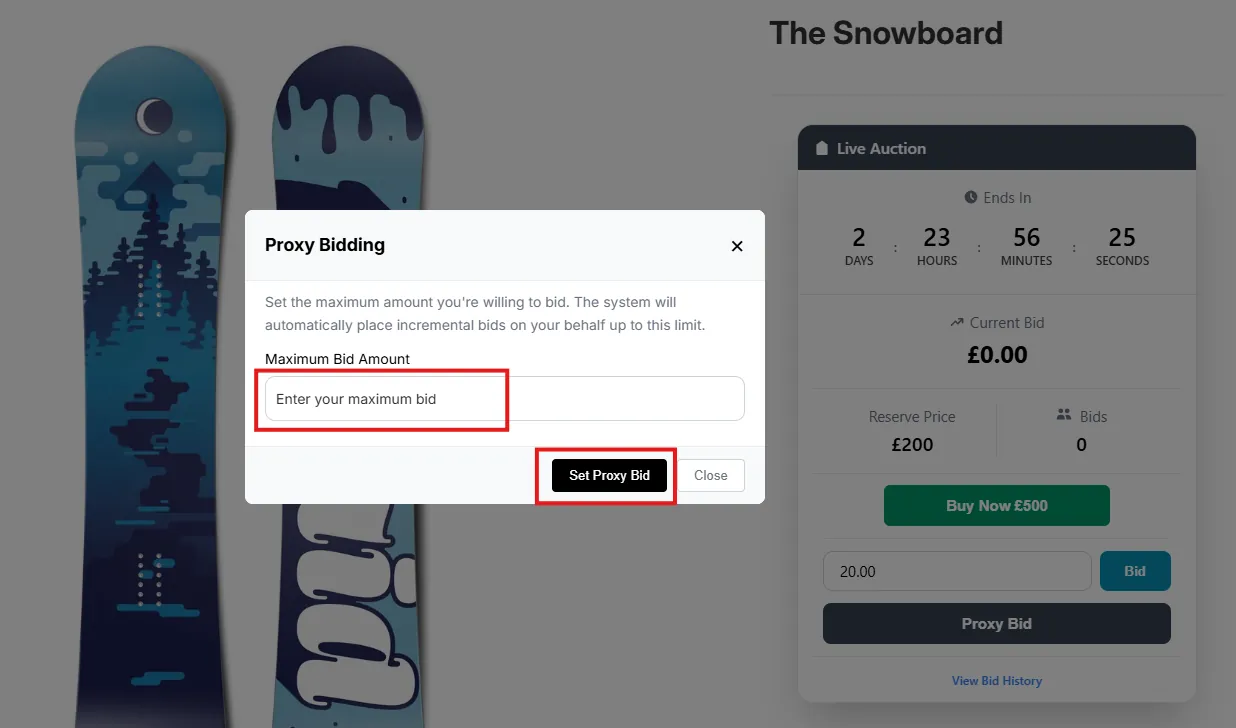
On the live auction page, bidders will see a “Proxy Bid” button inside the auction block.
Click this button to open the Proxy Bid modal.

Step 4: Enter Maximum Proxy Amount in Popup
A modal popup will appear with an input field to set the maximum bid amount the bidder wants to allow.
Enter the maximum amount and click the “Set Proxy Bid” button.
🔒 Note:
- The proxy amount must be greater than next bid .
- The system will auto-bid only up to the amount set here.
Step 5: Proxy Bid Placed Automatically
Once the proxy bid is set:
The system will automatically place bids on behalf of the user whenever they are outbid.
Other bidders will see the updated bid amount in real-time.
The bidder remains the highest bidder until another user exceeds their proxy limit.