Confirmation Popup Before Bidding
Enable a confirmation popup to review bid amounts before submission, preventing accidental bids.
Description
When this feature is enabled, users will see a confirmation popup before placing a bid. This allows them to review the bid amount and confirm their action before the bid is submitted.
Video Tutorial
How it works
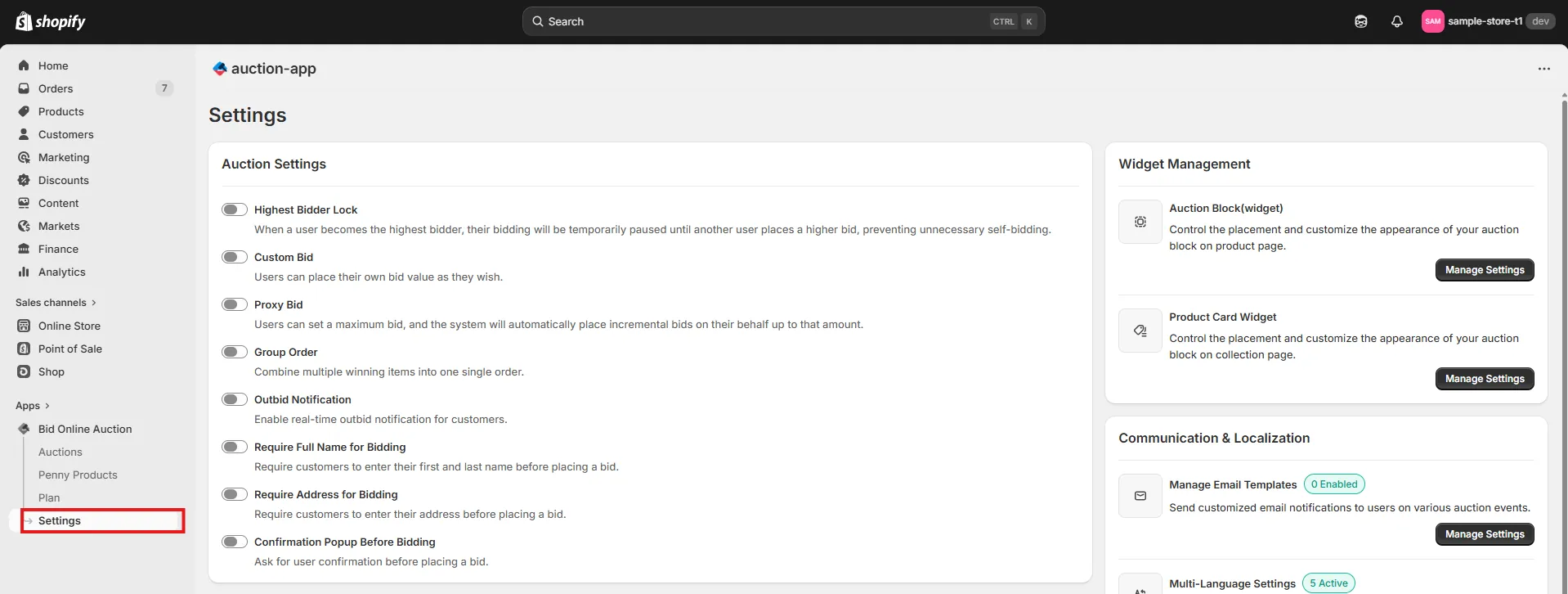
Step 1: Access the Settings Page
Go to the Settings page in your installed app to access various configuration options.
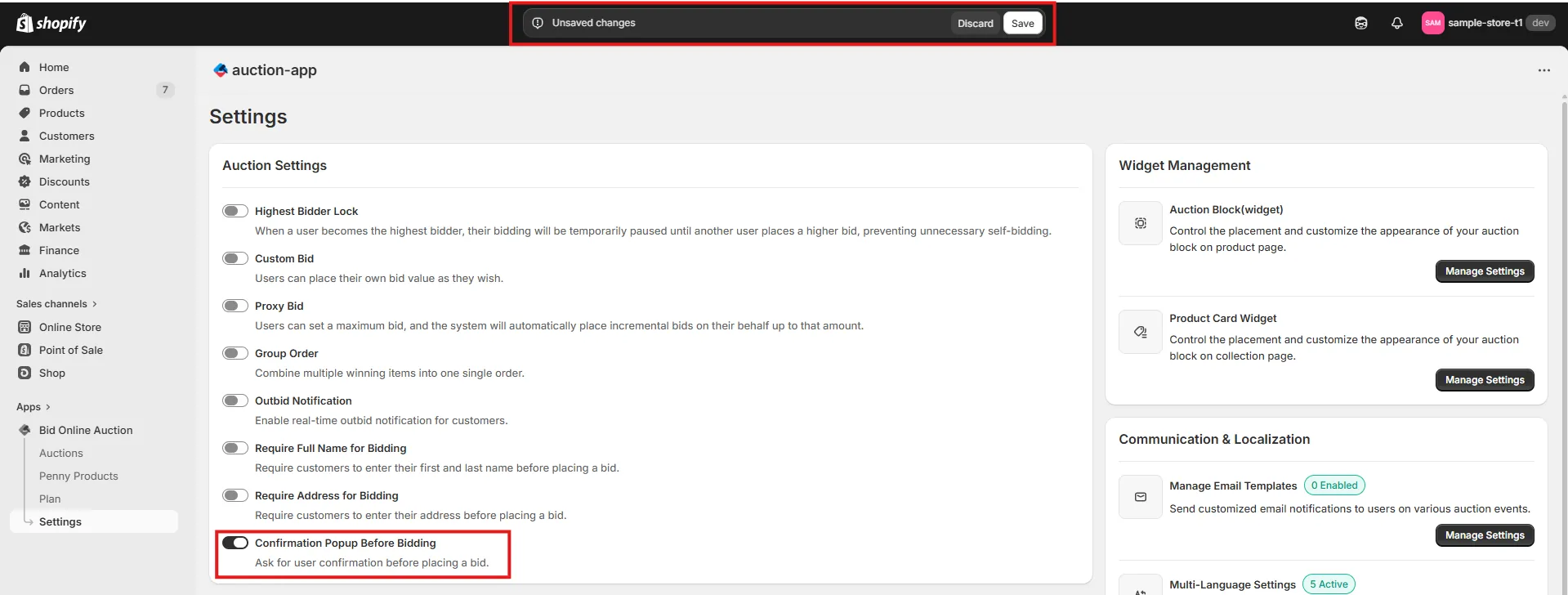
Step 2: Enable "Confirmation Popup Before Bidding"
Check the Confirmation Popup Before Bidding option. When this feature is enabled, users will see a confirmation popup before placing a bid. This allows them to review the bid amount and confirm their action before the bid is submitted. Click Save Settings to update your auction settings.
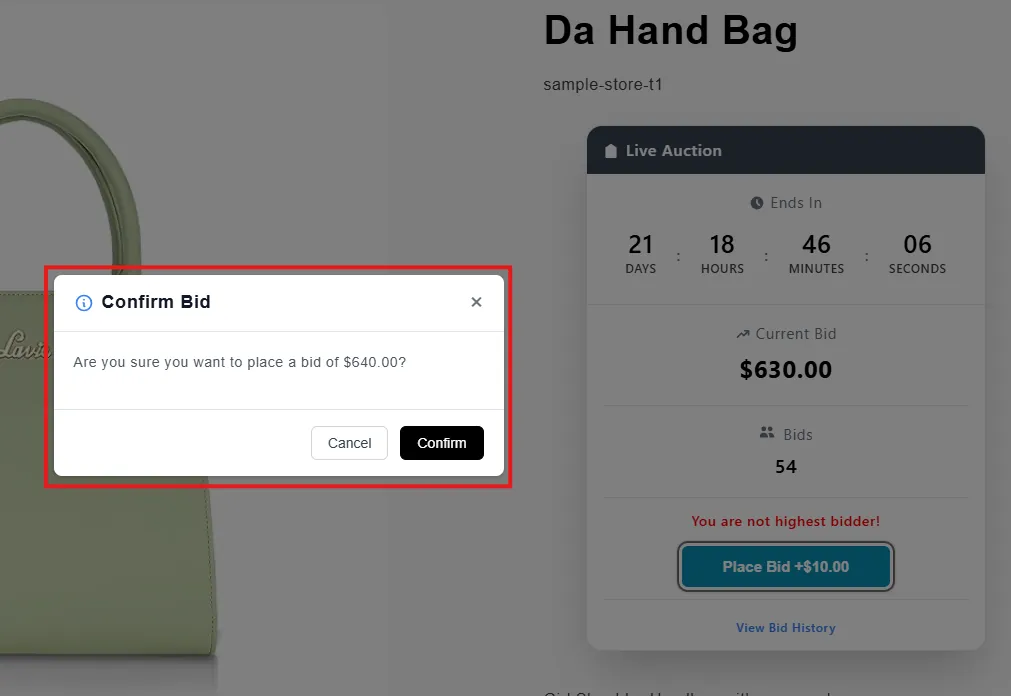
Step 3: How the Confirmation Popup Works
Once the Confirmation Popup Before Bidding feature is enabled, users will see a confirmation popup when they click the Bid button. The popup will display the bid amount and ask the user to confirm whether they want to place the bid. If the user clicks Confirm, the bid will be placed successfully. If the user clicks Cancel, the bid will not be submitted. This feature helps prevent accidental bids and ensures that users intentionally confirm their bid before submitting it.