
Multiple Auction Creation
Create multiple auctions in one go by selecting several products from your store's inventory.
Description
The Multiple Auction Creation feature allows user to efficiently create multiple auctions simultaneously. Users can select several products from their store's inventory, set common auction parameters (like start/end dates, bid increments, reserve prices, etc.), and launch all selected auctions with a single action. This streamlines the auction setup process, saving time and effort for store owners managing large inventories.
Video Tutorial
How it works
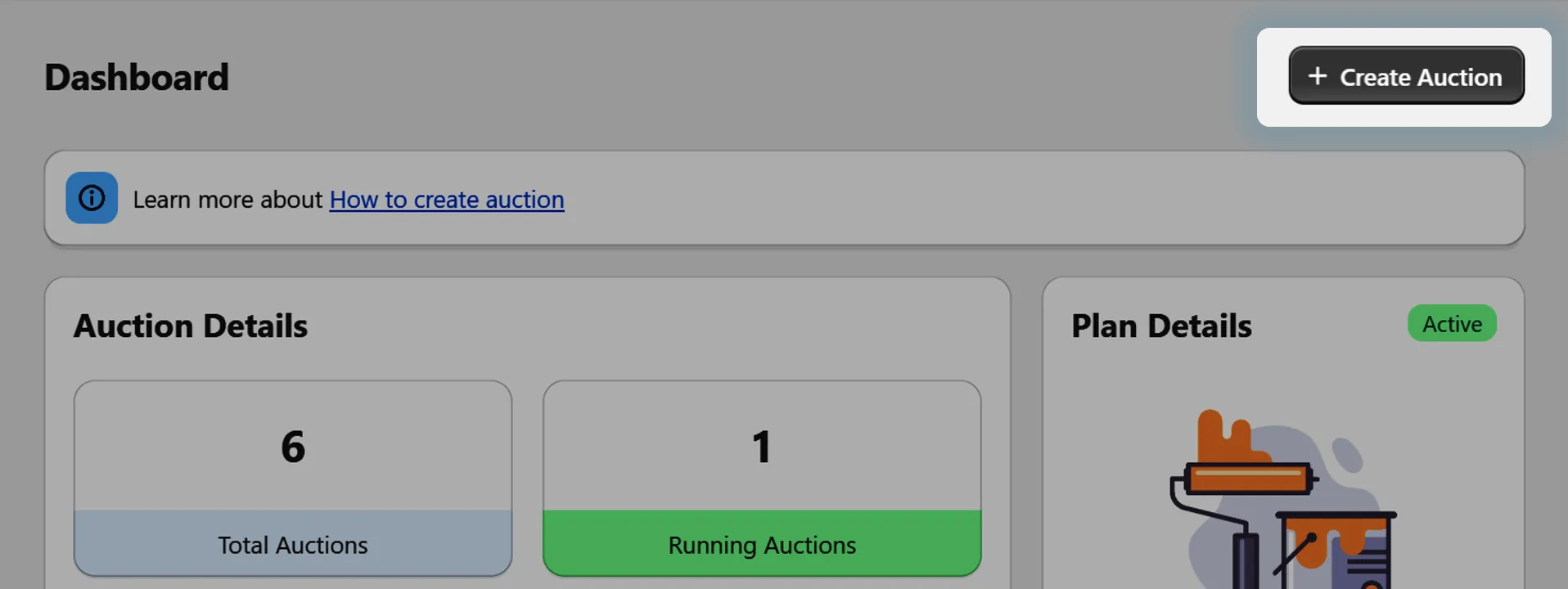
Step 1: Go to Auction Creation
Navigate to the auction creation section in your app dashboard.
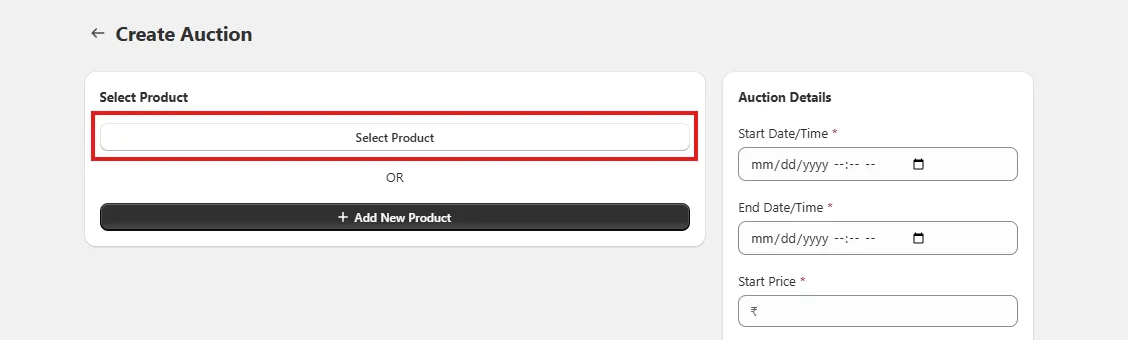
Step 2: Select Multiple Products
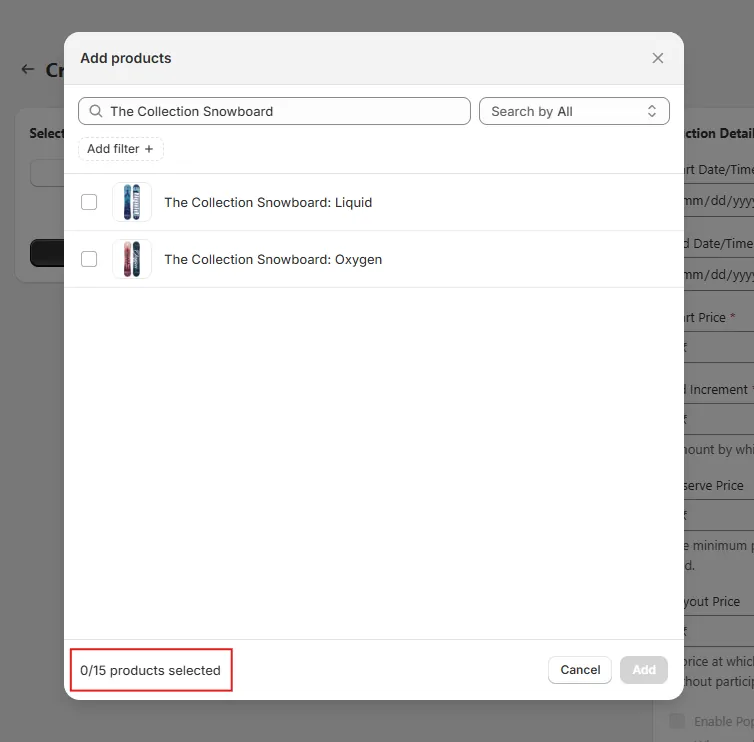
Click on the “Select Product” option. A searchable list of your existing store products will appear, and you can select more than one product at a time.
- 📌 Important: You can create multiple product auctions, but the limit will depend on the user’s purchased plan.
Step 3: Search for Products
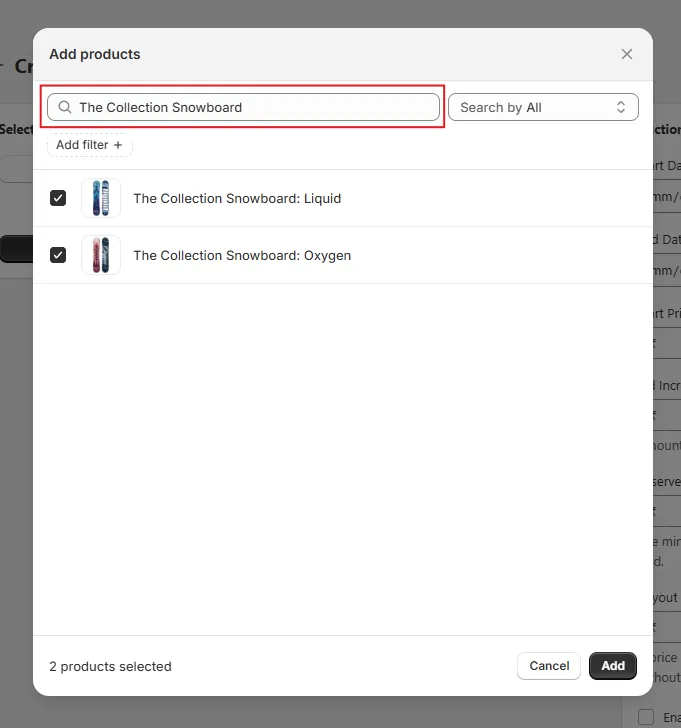
Use the search field to find the products you want to auction by typing their titles. Select all the products you’d like to include in this batch auction creation.
Step 4: Ensure Product Eligibility
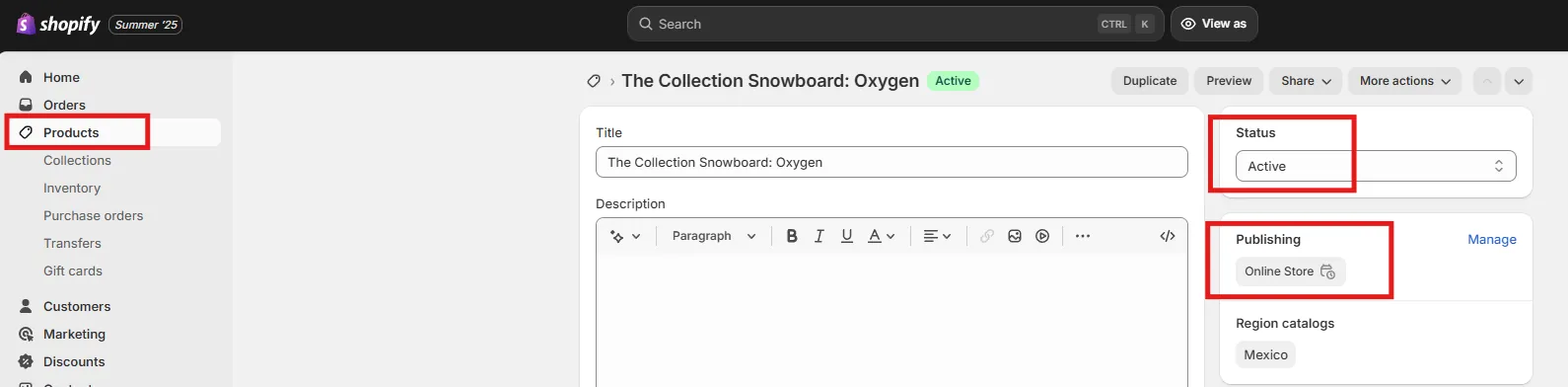
If some products don’t appear in the list, make sure they meet the following conditions:
- ✅ The product is available on the Online Store sales channel.
- ✅ The inventory is greater than 0.
- ✅ The product status is set to Active.
- ✅ The product's Auction is not already created.
💡 Tip: If a product still doesn’t appear, try searching by its full title — this often helps you locate it.

Step 5: Finalize Selection
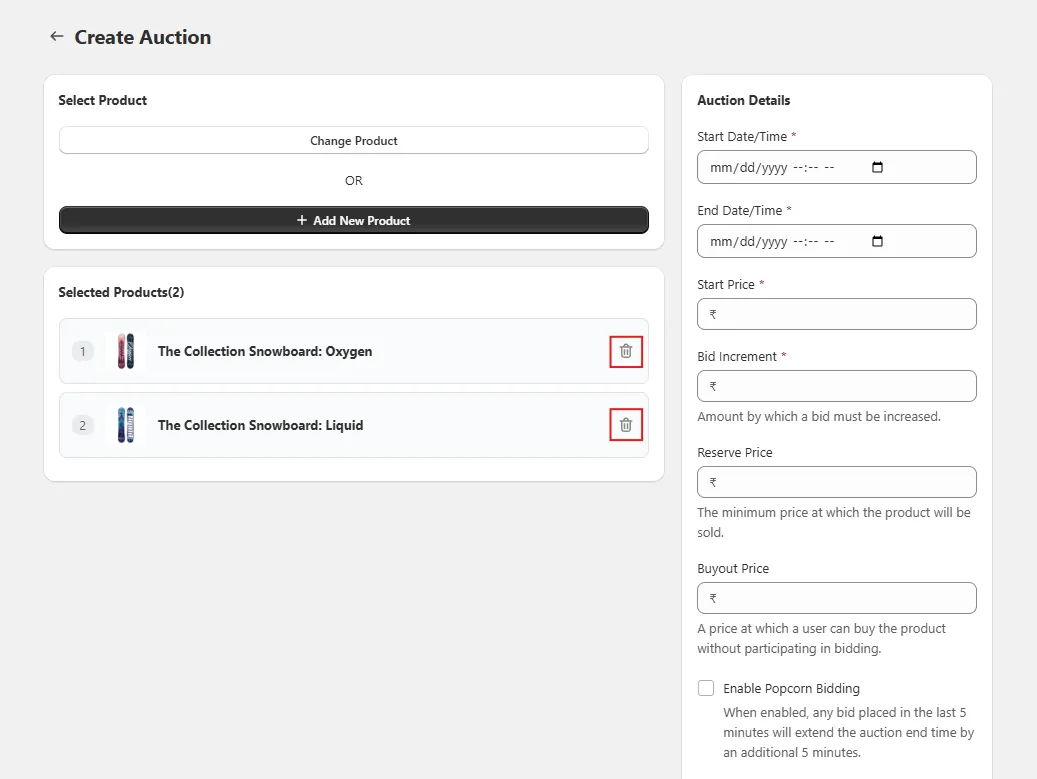
If you accidentally select a product you don’t want, you can remove it by clicking the trash icon next to the product. This way, only your desired products will remain for auction creation.
Step 6: Complete Auction Setup
Continue configuring auction details (starting price, bid increment, etc.) and publish the auctions. The auction configuration will be the same for all selected products.